
Introduction to creative photo manipulation techniques in Canva Pro.
Photo manipulation is the art of enhancing or altering a photograph using various techniques to create an illusion or artistic expression.
In the digital age, photo manipulation has become increasingly significant due to the widespread use of social media, digital marketing, and the need for visually compelling content.
It allows individuals and businesses to convey specific messages, evoke emotions, and cultivate a unique visual identity.
Canva Pro holds paramount importance for creative photo manipulation techniques as it offers a wide array of advanced tools and features tailored for professional image editing.
From intricate layering to advanced filters and effects, Canva Pro provides the necessary resources to elevate photo manipulation to a new level.
Moreover, its user-friendly interface and extensive library of resources make it an ideal platform for beginners and experienced designers to unleash their creativity.
The purpose of the blog post is to provide a comprehensive guide on utilizing Canva Pro for photo manipulation, catering to individuals seeking to enhance their photo editing skills or businesses aiming to create captivating visual content.
By exploring the diverse features and functionalities of Canva Pro, readers can gain insights into leveraging this powerful tool for their creative endeavors.
Summary
- This blog post aims to broaden your understanding of creative photo manipulation techniques in Canva.
- We will show you how this can help you in making advertisement-looking designs.
- In the end, you understand which techniques you need to pay attention to. (Background remover, duplicate, and layering).
Understanding Canva Pro

Canva Pro is a premium subscription service with advanced features tailored for beginners, professionals, and businesses.
Canva Pro features:
- It includes over 75 million premium stock photos, videos, and graphics, a magic resize tool, and a brand kit feature for maintaining brand consistency.
- It offers various tools to enhance design capabilities and streamline creative processes for individuals and teams.
- The background remover is important to make your photo edit more creative and effective.
Canva Pro offers a wide range of advanced tools for beginners to use in professional photo editing. Users can make precise adjustments, retouch images, and access sophisticated filters and blending modes.
With its intuitive interface and seamless integration with other design elements, Canva Pro is a powerful tool for enhancing visual content.
What are the benefits of Canva Pro for photo manipulation?
Canva Pro offers a plethora of benefits for creative projects, especially when it comes to photo manipulation. First and foremost, it provides a wide range of professional tools and features specifically designed to enhance and edit photos with precision and creativity.
✅ Hugh library of premium stock images.
✅ Wide range of elements.
✅ Magic resizer.
✅ Brand Kit and premium fonts.
✅ 1TB of cloud storage.
Learn more about the benefits of Canva Pro by reading their case study.
Exploring Creative Photo Manipulation Techniques in Canva Pro
There are several photo manipulation techniques for creating a nice-looking photo manipulation in Canva, and you only need to remember 6 techniques to complete the picture such as:
- a) Background removal and replacement
- b) Adding and blending multiple images
- c) Applying filters and effects
- d) Adjusting colors, brightness, and contrast
- e) Adding text and graphic elements
- f) Creating collages and compositions
Step-by-Step Guide to Photo Manipulation in Canva Pro
This guide provides detailed steps: on how to perform photo manipulation techniques in Canva Pro.
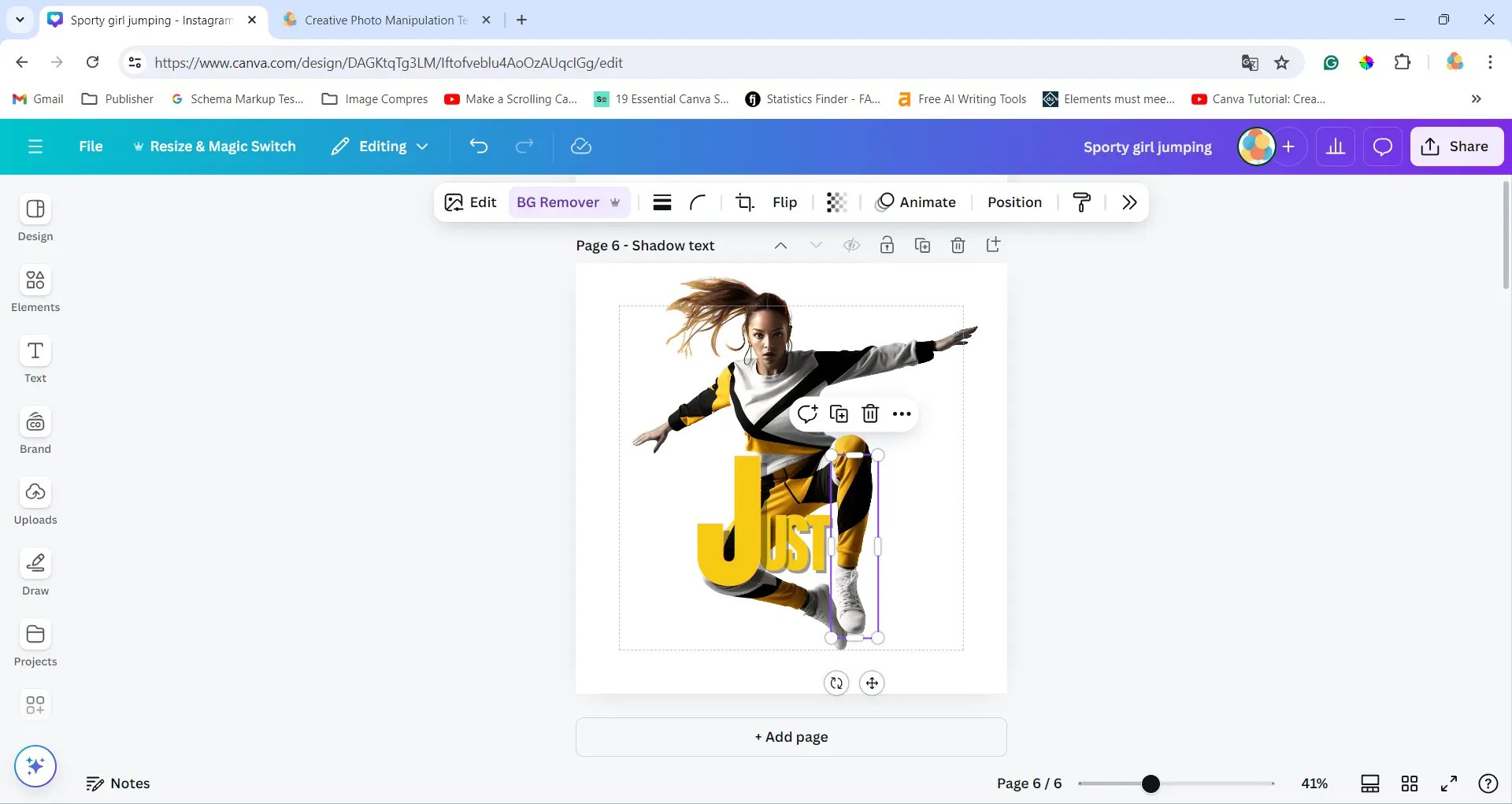
You start by looking for a photo that syncs ours. Here is the photo used for this.
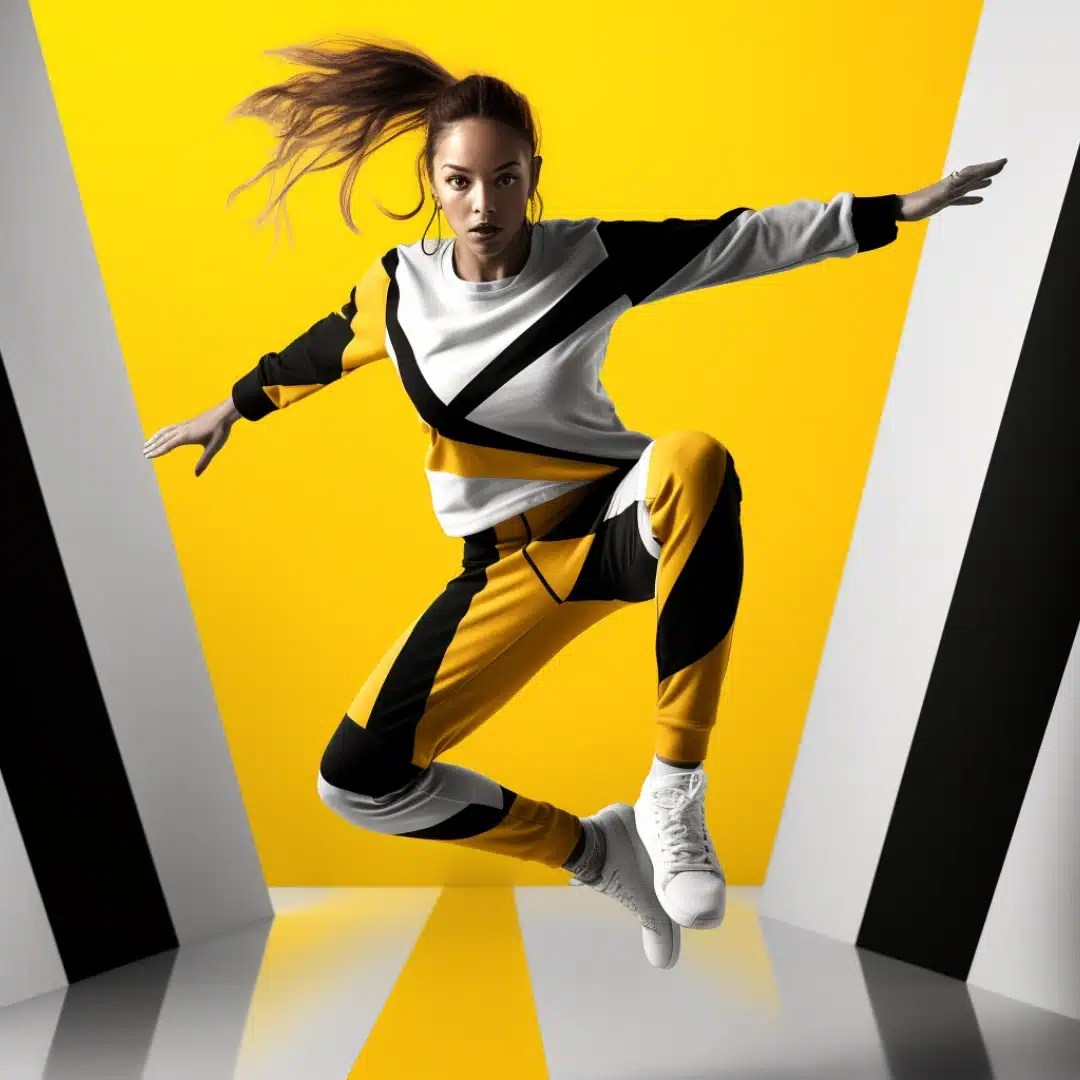

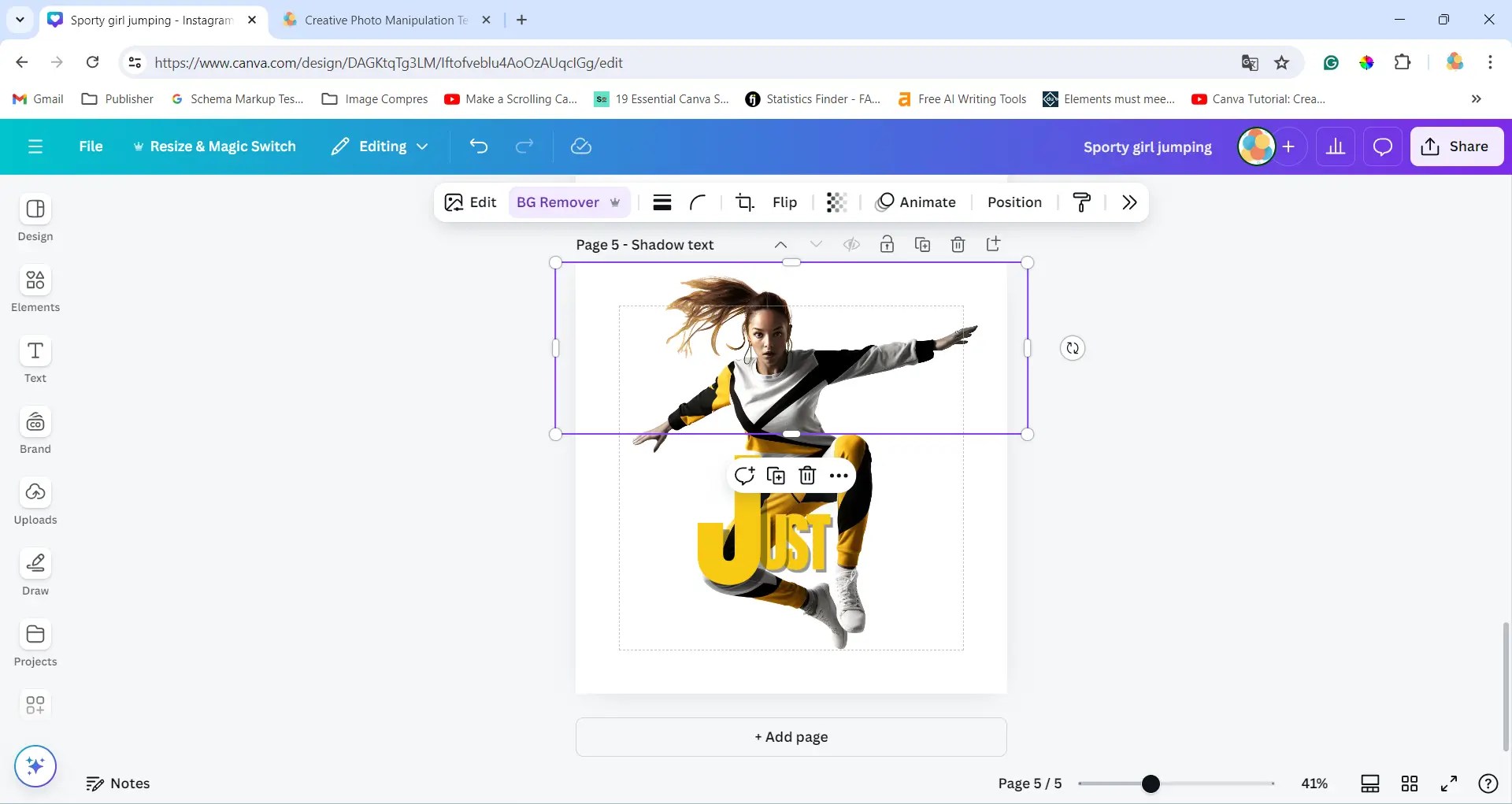
The next step is to create a text effect illusion by wrapping the text around the knee, using shadow effects, and arranging layers. Duplicate the image.

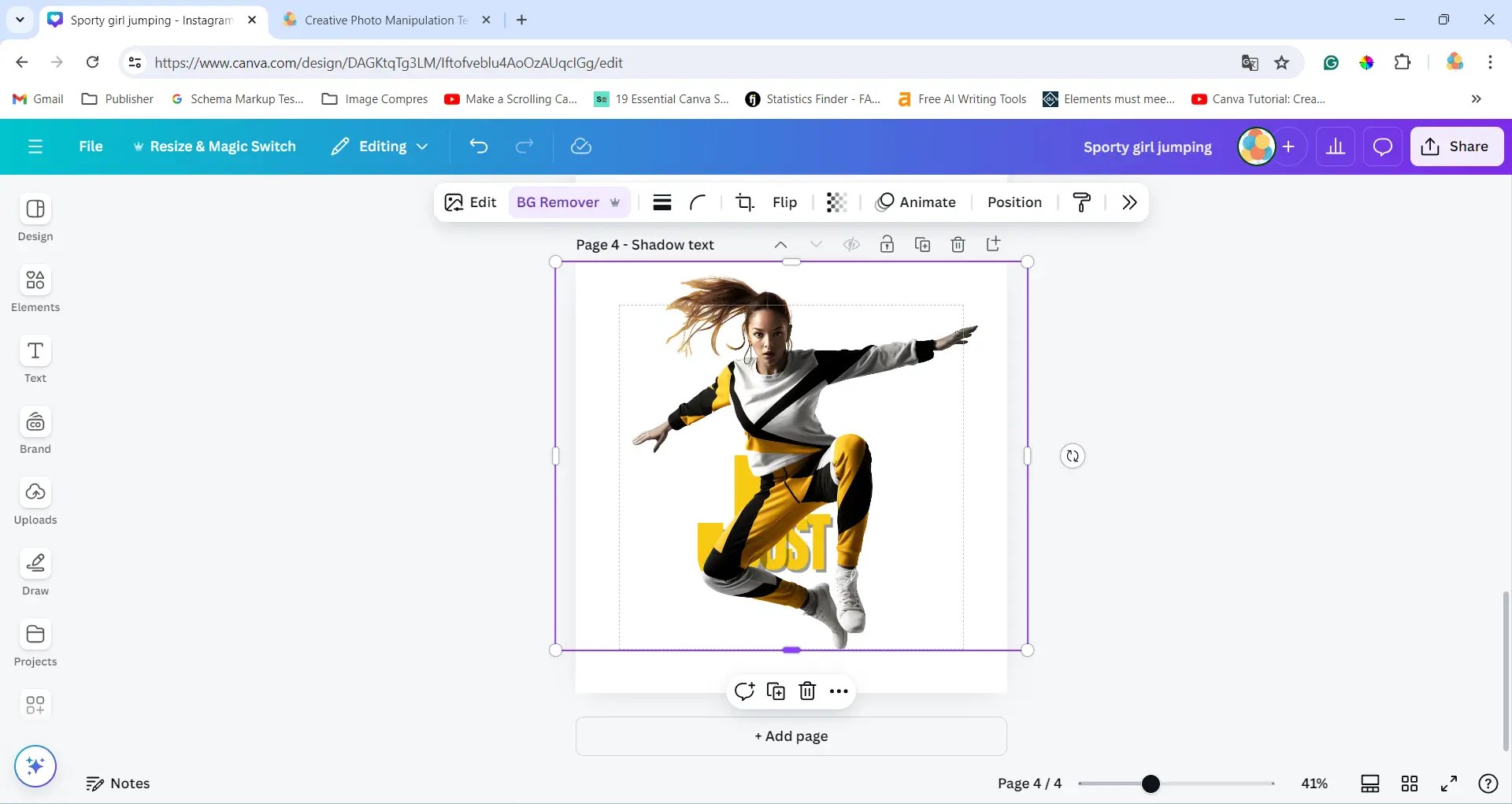
Crop the duplicate in half and place it on top of the original image, then duplicate it again and move only the knee part.
Add the swoosh from Nike, and place it in the corner. Apply a duotone filter to make it white. But use the red color code #ACO505 to style the background.
Remove the background for the Swoosh NIKE.
See the YouTube video
To follow along and see the results see the video.
Examples where the same overlay text design principles are used.
Conclusion
To summarize the key points discussed in this blog post. Canva is an amazing tool for creating creative photo manipulation techniques in Canva. It is just that easy to do, the trick is that you must continually learn because Canva adds new design features.
With Canva Pro, users can access a wide range of tools and features for beginners and experienced designers.
Whether it’s enhancing social media images, creating professional marketing materials, or making stunning visual content for personal projects, Canva Pro offers a seamless and enjoyable experience for everyone.
Whether adjusting lighting, and color balance, trying artistic effects, or experimenting with creative filters, Canva Pro offers tools to enhance photo editing. Dive into professional editing with Canva Pro, unlocking creative possibilities for your images.
Photo Manipulation Techniques Key Points in Canva:
- a) Background removal and replacement
- b) Adding and blending multiple images
- c) Applying filters and effects
- d) Adjusting colors, brightness, and contrast
- e) Adding text and graphic elements
- f) Creating collages and compositions

 Dropner Graphic Explainer

I’m always impressed with how clearly you explain things—thank you.
LikeLike