
Disclosure: I get a commission from Rank Math if you use my links to download it. I also get a commission if you get Rank Math Pro.

Written By Bonny Isselt.
Introduction to Creating Friendly SEO URLs With Rank Math
You create a catchy title for your blog and hit publish. But you forget to create a readable link for the blog post.
It also needs to be easy and understandable for people and search engines.
In fact, you want every blog post to be read and found. Fortunately, you have Rank Math to help you create good URLs.
The good part is that Rank Math follows SEO best practices. So, relax as we guide you through the process.
Key Takeaways
- Creating SEO URLs with Rank Math is easy.
- Keep your site SEO on point every time.
- Keep your URLs short.
- Your URLs must relate to the content.
Table of contents
Best SEO Practices for Creating SEO URLs
1. Include Relevant Keywords: Use keywords that accurately describe the content of the page.
2. Keep it Short and Descriptive: Aim for concise URLs. Concise URLs give users and search engines a clear idea of the page’s topic.
3. Use Hyphens to Separate Words: Hyphens are recommended over underscores or spaces for better readability and SEO.
4. Avoid Using Stop Words: Remove unnecessary words like “and,” “the,” or “of” to keep the link focused on keywords.
5. Create Unique URLs: Each page should have a distinct web address to avoid duplicate content issues.
What is Rank Math?
Rank Math is a feature-rich SEO plugin for WordPress that simplifies the process of optimizing your website.
This powerful plugin also allows you to efficiently manage your website’s meta tags, sitemaps, internal linking, and rich snippets. It provides you with the necessary tools to boost your website’s visibility on search engines.
With its user-friendly interface and comprehensive features, Rank Math empowers website owners to take full control of their SEO strategies. They also enhance their online presence.
Here’s a step-by-step guide to creating SEO-friendly URLs using Rank Math.
Create SEO URLs with Rank Math SEO
SEO-friendly URLs are easy to read and include relevant keywords. They are designed not only for search engines. They are also designed for users. This clarifies what the webpage is about before clicking on the link.
For example, a good link like www.example.com/best-SEO-practices this is more SEO-friendly than www.example.com/123456.
Why are SEO Friendly URLs Important?
- Improved User Experience: Clean and descriptive URLs are easier for users to understand, leading to higher click-through rates.
- Higher Search Engine Rankings: Search engines like Google favor URLs that show the page’s content. This can positively impact your rankings.
- Better Link Sharing: SEO-friendly URLs are more likely to be shared, as users can easily recognize the content’s relevance.
Install Rank Math
Go to their website and click Download on the top right. —> Head over to your WordPress site —> Install plugins —> Click Upload and select the downloaded file.
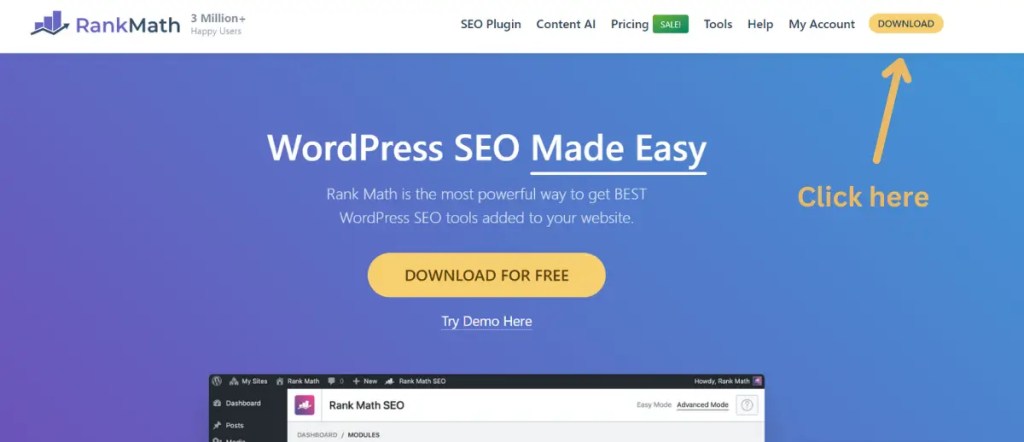
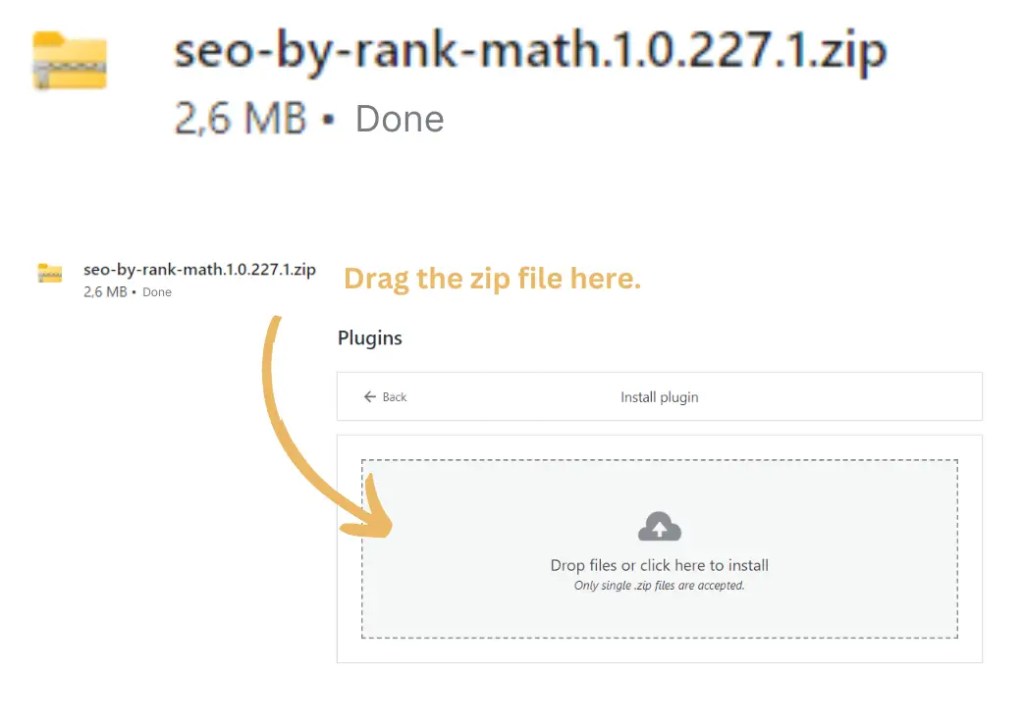
Search Rank Math via your WordPress dashboard and install it via the plugins marketplace.
Write a new post by clicking on Add New —> open the Rank Math snippet tab.


There are SEO rules that search engines follow. For example, it is recommended to use about 75 words.
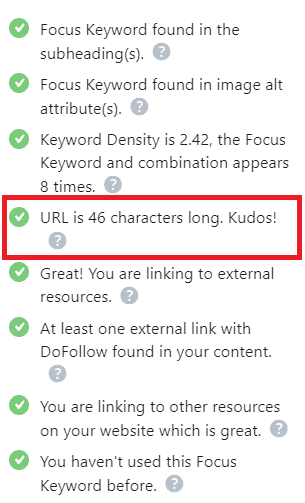
Rank Math follows this rule, making it easy to spot SEO errors. It provides a ✅ green checkmark for everything being fine and an ❌error message for anything wrong.
Conclusion
To change the links in your blog post, you can easily do so with the help of Rank Math.
The key benefits are:
- It’s not very difficult.
- It doesn’t take much time to correct errors.
- The Rank Math system lets you know what SEO errors need attention.
- Once you’ve made an improvement, your SEO score will increase, and you’ll see a green checkmark ✅.
What is important to remember is that search engines apply an SEO rule for links, weighing 75 words. If you use more words than that, you risk making your article less visible to the audience.
FAQ: Common SEO URL mistakes in WordPress
Long URLs can impact SEO and user experience, as Google shortens them in search results.
Rank Math can improve your URLs by customizing them to be more search engine-friendly. You can set up SEO-friendly permalinks, and create user-friendly URLs.
- Using Default Permalink Structure: Default permalinks with numbers, as they are not user-friendly or good for SEO.
- Not Include Keywords: Make sure to include relevant keywords in the URL for better search engine optimization.
- Not Personalize Permalinks: Remember to personalize permalinks for each post or page to have clear and informative URLs.
- Avoid Changing Permalinks After Publishing: Changing permalinks after content is published can break links and hurt SEO.
- Avoid Special Characters: Don’t use special characters, symbols, or spaces in URLs, as they can cause readability and indexing issues.

 Dropner Graphic Explainer