

Creating abstract designs in Canva can be an exciting and rewarding experience. With its user-friendly interface and vast array of design elements, Canva is an excellent tool for creating abstract designs. Whether you are an experienced designer or just starting, this guide will give you the necessary steps. You can create stunning abstract designs in Canva.
Understanding abstract design is the first step in creating successful abstract designs. The abstract design is all about using shapes, colors, and textures. These elements create a visual representation of an idea or concept. It is a form of art that is open to interpretation. It can be used to convey emotions, ideas, and messages. In this guide, we will explore the fundamentals of abstract design and how to apply them in Canva.
Getting started with Canva is easy. Canva offers a range of templates to choose from, including social media posts, flyers, and more. You can also create custom designs by choosing your own dimensions. Canva’s drag-and-drop interface makes it easy to add and manipulate design elements. With its extensive library of design elements, you can create stunning abstract designs in no time.
Table of Contents
- Overview
- Understanding Abstract Design
- Defining Abstract Art
- Principles of Design
- Getting Started with Canva
- Setting Up Your Canva Account
- Navigating the Canva Interface
- Tips for creating your own abstract designs
- Start
- Step 1. Choose your canvas
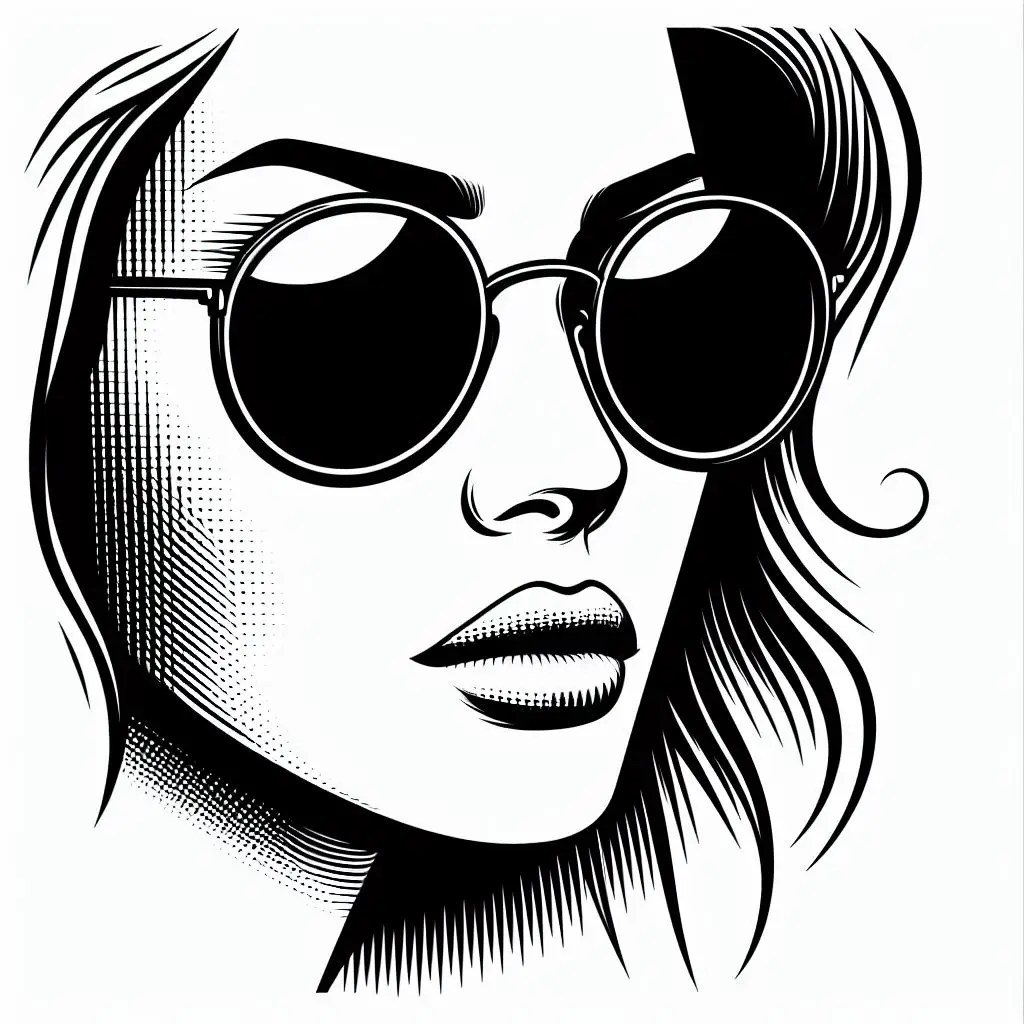
- Step 2. Search for an outline image of a woman’s face
- Step 3. Remove background
- Step 4. Set a colorful background image
- Step 5. How to choose colors and fonts
- Step 6. Watch tutorial video
- What to avoid?
- Some examples
- Conclusion
Overview
- Understanding abstract design is essential to creating successful abstract designs in Canva.
- Canva’s user-friendly interface and vast array of design elements make it easy to create stunning abstract designs.
- By adhering to the steps outlined in this guide, you can create your own unique abstract designs in Canva.
Understanding Abstract Design
Defining Abstract Art
As an artist, I find abstract art one of the most compelling and challenging genres to work with. Abstract art is a form of visual art. It uses colors, shapes, and forms to create a composition. This composition is independent of any representational references. In other words, it does not depict anything in the natural world. Instead, it focuses on the elements of art themselves.
The term “abstract” can be traced back to the early 20th century. At that time, artists began to experiment with non-representational forms of art. Abstract art can be created using a variety of mediums, including painting, drawing, sculpture, and digital art. It is a genre that allows for a great deal of creative freedom. It is not bound by the constraints of realism.
Principles of Design
When creating abstract art, it is important to keep in mind the principles of design. These principles include balance, contrast, emphasis, movement, pattern, rhythm, and unity. By using these principles effectively, you can create a composition that is visually appealing and engaging.
Balance refers to the distribution of visual weight in a composition. It can be symmetrical or asymmetrical. Contrast involves using opposing elements, like light and dark, to create visual interest. Emphasis is used to draw the viewer’s attention to a particular element within the composition. Movement refers to the way the eye moves through the composition. Pattern involves the repetition of elements to create a sense of unity. Rhythm is created by the repetition of elements in a regular or irregular pattern. Unity refers to the overall sense of harmony and coherence in a composition.
In Canva, you can use these principles of design to create stunning abstract designs. By experimenting with different shapes, colors, and patterns, you can create a composition that is unique and visually appealing.
Getting Started with Canva

Setting Up Your Canva Account
Before you can start creating abstract designs in Canva, you need to set up your Canva account. This is a quick and easy process that will only take a few minutes.
To get started, go to the Canva website. Click on the “Sign up” button in the upper right corner of the screen. You can sign up using your email, Facebook account, or Google account.
Once you have signed up, you will be prompted to choose a plan. Canva offers a free plan as well as several paid plans with extra features. To create abstract designs, the free plan should be enough.
Navigating the Canva Interface
You can start creating abstract designs once you have set up your Canva account. The Canva interface is intuitive and easy to navigate, even for beginners.
When you first log in to Canva, you will see a dashboard with various design templates. You can browse these templates to get inspiration for your own designs. Alternatively, you can start with a blank canvas and create your own design from scratch.
The Canva editor is divided into several sections, including the toolbar, the sidebar, and the canvas. The toolbar holds all of the tools you need to create your design. The sidebar lets you change your design with colors, fonts, and other elements.
To start creating your abstract design, simply drag and drop elements onto the canvas and arrange them as desired. You can use shapes, lines, and other design elements to create a unique and eye-catching design.
Overall, Canva is a powerful and user-friendly tool for creating abstract designs. With a little bit of practice, you can create stunning designs that are sure to impress.
Tips for creating your own abstract designs
- Tip 1: Look for an outline image.
- Tip 2: Find the right and vivid colors.
- Tip 3: Experiment with layers.
- Tip 4: Make sure the colors pop, the portrait is captivating, and everything is in perfect proportion.
Start
Let us start with the abstract design process using Canva. We use the next image as an example.
Step 1. Choose your canvas
Choose a blank canvas with the dimensions 1000 px x 1500 px.
Step 2. Search for an outline image of a woman’s face
I have had an image generated by Microsoft Bing AI. It takes several attempts to achieve a good result. So, my prompt is “Create an outline of a woman’s [face] with sunglasses.”
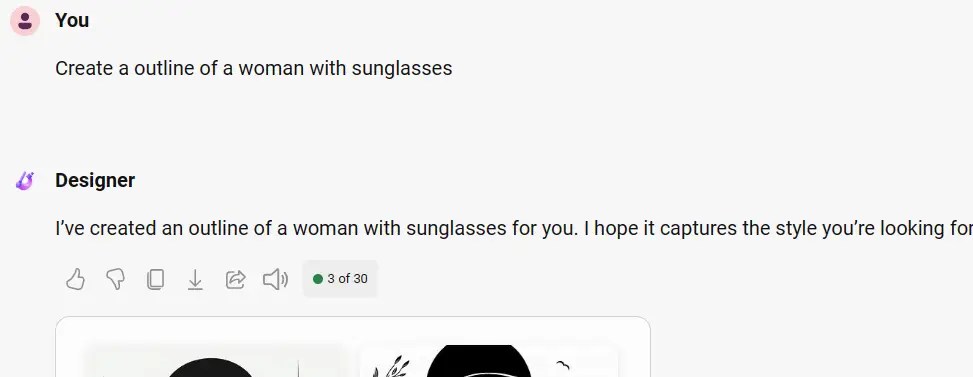
This is the result of the prompt, your prompt must be descriptive to get good results.

So I started again and edited the prompt using the word face. This is the result. These are good, but I will give you the correct image. Click the download button for the image you like.


Step 3. Remove background
I’ve got a Canva Pro subscription, so I use their background remover to get rid of the background. If you ever need a choice, remove.bg is pretty good for that.
Step 4. Set a colorful background image
Find a colorful background. The Canva keyword you should use is a vintage retro background.

Step 5. How to choose colors and fonts
You should choose the color palette of the retro background [around 5 colors] and build the image with them.
Set the colors opposite to the background. If you don’t, the colors will clash and the design will not be helped. the font should be bold like ANTON.
Step 6. Watch tutorial video
If you want to catch on to this tutorial faster, I’ve made a YouTube video for you. Give it a watch and have fun. It would be awesome if you liked, shared, and subscribed to my channel. Thanks a bunch!
What to avoid?
- What you should not do is use too many different colors. This way, the balance of your design remains proportionate.
- Also, do not use italic and thin fonts, as these are not legible on the background.
- Don’t use tiny images so you can not scale and resize them.
Some examples
Below you can see some of my examples, showing that it can be fun when you master abstract designs. Use them for inspiration.


Conclusion
In conclusion, by getting pumped about new design concepts, you can unlock some awesome opportunities for fresh design projects. Nailing the perfect balance in abstract design or abstract art be a bit tricky. Canva and other design tools will totally help you rock your creativity with a positive and upbeat vibe.
This guide helps you on your way to new design experiences. Additionally, you now have a good overview of abstract art and what you can do with it.
The key points are:
- Use Canva.
- Use background remover.
- 1000 px x 1500 px.
- Don’t overdo it with colors.
- Play around with layers.
Do you have any goals for a cool, abstract design? Let me know if you can help out with that.
 Dropner Graphic Explainer