

Written by Motif Creatives. ✅ Published and edited by Bonny Isselt.
Are you missing out on online donations?
Picture this. A visitor lands on your site. They read your mission. They nod, they smile. You’ve touched their heart. And then… nothing. No donation. No click. Just a silent goodbye.
It happens more than you think.
Not because they don’t care. But because giving online feels like a chore. Too many steps. Too much form-filling. Too confusing. And in a world where people can buy coffee with one tap, clunky donation systems are a problem.
Here’s the good news. If your site runs on WordPress, you’ve got WooCommerce. And with the right plugin? You can turn your store into a fundraising machine. Quick. Simple. Almost frictionless.
In this guide, we’ll talk about the best WooCommerce donation plugins for nonprofits and charities. Tools that help you raise money, tell your story, and make giving as easy as breathing.
Table of Contents.
Why WooCommerce Works So Well for Donations
Some people think WooCommerce is just for selling t-shirts or books. Nope. It’s a robust framework that can handle almost any kind of transaction. Donations included.
Think about it:
- Donors already know the checkout flow. No learning curve.
- You can take payments in different ways. PayPal, Stripe, credit card, and offline, too.
- It’s customizable. Fixed amounts. Open amounts. One-off. Recurring.
- You can connect it with marketing tools. Thank-you emails, newsletters, and even CRM systems.
When you add a donation plugin into the mix, WooCommerce becomes a charity powerhouse, all without paying huge fees to third-party fundraising platforms.
What to Look for in a Donation Plugin
Not all donation plugins are created equal. Some are bare-bones. Others are loaded with features you may never use. The sweet spot? Enough tools to make giving compelling and straightforward — without overwhelming you.
Here’s your quick checklist:
- Fixed and open donation options.
- Ability to set recurring donations.
- Customizable forms — name, message, dedication fields.
- Suggested amounts for quick decisions.
- Campaign goal tracking — maybe with a progress bar.
- Mobile-friendly design.
- Multi-currency support for global donors.
- Integrations with your CRM or email platform.
Get these rights, and your donation process becomes smooth. Donors love smooth.
7 Best Nonprofit and Charity WooCommerce Donation Plugins
Some donation plugins require a small fee, but they offer a better and more complete system, allowing you to relax. In contrast, a free plugin might not be actively supported by WooCommerce anymore.
Let us guide you through these donation plugins and what you must pay attention to.
1. WooCommerce Donation Plugin by Motif Creatives
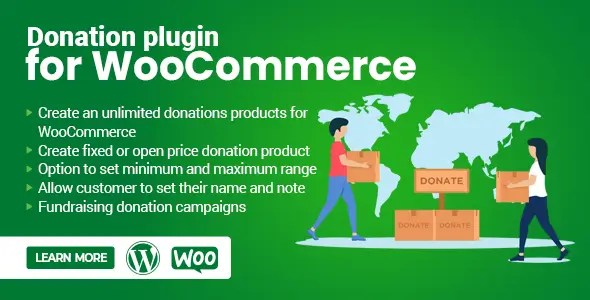
This one’s for the “keep it simple” crowd. The WooCommerce Donation plugin lets you add donation products to your store. You can make them fixed price. Or let donors’ type in whatever amount they like.
It’s not flashy. But it’s flexible.
Features at a glance:
- Unlimited donation products.
- Fixed or open amounts.
- Set min and max amounts (and hide them if you want).
- Name and note fields for donors.
- Suggested price display.
Imagine you’re running a winter blanket drive. You set a product: “Donate for one blanket – $20.” But you also offer an open donation option. Someone decides they want to cover 10 blankets? They can—no awkward workarounds.
2. Charitable – The Friendly Fundraiser

Charitable is like the friendly neighbor of donation plugins. Free to start. Helpful. Always there when you need it.
It works on its own. But if you pair it with WooCommerce, you can sell merch and collect donations under one roof.
Why it clicks with nonprofits:
- Free core plugin (pay only for extras).
- Recurring donations are available in the premium version.
- Peer-to-peer fundraising — let others fundraise for you.
- GDPR-friendly.
- Developer-friendly for tweaks.
It’s excellent for smaller charities that want room to grow without feeling trapped.
3. GiveWP – The Heavyweight

GiveWP isn’t just a plugin. It’s a full-blown fundraising platform. You get advanced reporting, donor management, recurring donations — the works.
While it’s standalone, you can link it with WooCommerce using an add-on. That’s when things get interesting. You can run detailed campaigns while keeping your store humming.
Highlights:
- Advanced donor database.
- Multiple payment gateways.
- Custom form builder.
- Progress tracking per campaign.
If you’re a bigger charity running many campaigns at once, GiveWP is like having a digital fundraising team in your back pocket.
4. YITH Donations for WooCommerce

Sometimes, less is more. YITH keeps things simple — just a donation field on your product, cart, or checkout page.
This is great for:
- Adding “Would you like to add $5 to your order for our cause?” at checkout.
- Running light campaigns alongside product sales.
Why you’ll like it:
- Suggest amounts or leave it open.
- Works with your existing theme.
- No steep learning curve.
It’s minimal, but for many charities, that’s all you need.
5. WP Crowdfunding – Kickstarter Vibes
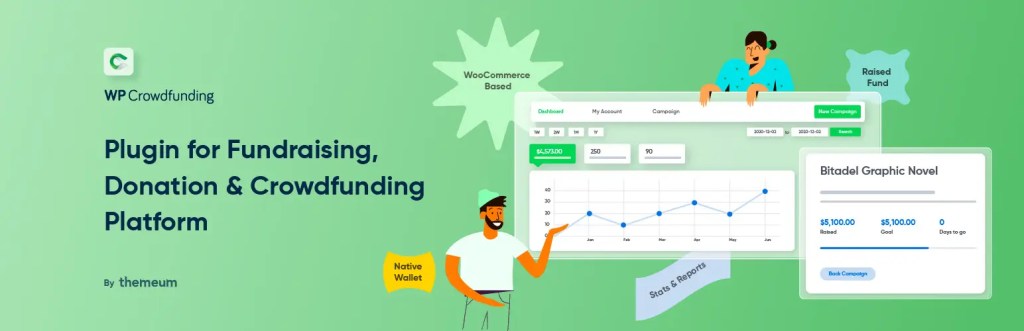
Think of WP Crowdfunding as Kickstarter meets WooCommerce. If you run multiple campaigns or let others raise funds on your site, this is your tool.
Features worth noting:
- Campaign creator profiles.
- Backer management.
- Goal progress tracking.
- Integrated wallet system.
It’s ideal for community-driven projects — say, a local rescue shelter letting each foster home run its fundraiser under your leading site.
6. Seamless Donations – Small but Mighty

Seamless Donations doesn’t charge transaction fees. It’s lightweight, fast, and perfect if you don’t need bells and whistles.
Key points:
- Set up in minutes.
- Recurring donations.
- Donor tracking and thank-you emails.
- Works with PayPal and Stripe.
If you need a donation button that works — without a monthly bill — this one’s worth a look.
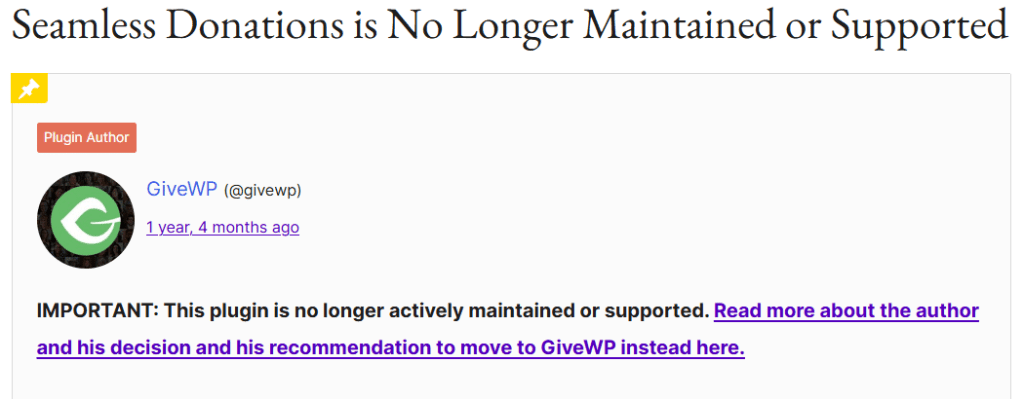
⚠️Note: This plugin is no longer available for download because it was managed by one person who had a family and could no longer find the time for it. Read it here.
7. Donation for WooCommerce by ThemeHigh

Another solid native WooCommerce solution. You can add donation fields anywhere in your store — product, cart, checkout.
Why it’s good:
- Set minimum/maximum limits.
- Show donation history to logged-in donors.
- Suggested amounts.
- Works with most payment gateways.
It’s the straightforward, no-surprise option for WooCommerce users.
Making Your Donation Plugin Work Harder
Having a plugin is step one. Step two? Making people use it.
Some tips:
- Tell real stories. Not just “We need money.” Share what a $10 donation does.
- Use genuine photos. No stock smiles.
- Offer recurring donation options. “$20/month” feels doable.
- Show progress bars. People like seeing goals get closer.
- Optimize for mobile. Half your donations might come from a phone.
- Thank people instantly. Gratitude builds loyalty.
And always test your checkout flow. A broken button can cost you more than you think.
Where Online Giving is Heading
The future of donations? It’s fast. It’s social. Sometimes, even a little futuristic. And yes, crypto is part of the picture.
We’re moving away from clunky, slow donation forms. People don’t want to fill in ten fields just to give $5. They want speed. They want it to feel natural. Almost like sending a text.
Trends to Watch:
1. Accepting Bitcoin or Other Tokens
Digital currencies aren’t just for tech geeks anymore. More donors — especially younger ones — hold Bitcoin, Ethereum, or stablecoins. Nonprofits that open their wallets to crypto could reach a whole new audience. Plus, crypto donations can sometimes offer tax advantages.
2. One-Click Mobile Giving
Imagine this: You see a cause you love on your phone. One tap. Done. No typing. No forms. Payment apps and mobile wallets like Apple Pay, Google Pay, and PayPal are making this the norm. If your site isn’t mobile-friendly, you’re missing the boat.
3. Personalized Donation Suggestions
Think Netflix recommendations, but for generosity. Smart systems can suggest amounts based on a donor’s past gifts. “Last time you gave $25 — want to make it $30 today?” It feels personal. And it works.
4. Fundraising Inside Social Media Apps
People spend hours scrolling Instagram, Facebook, and TikTok. Why pull them out of those apps to donate? Platforms now allow in-app giving. A quick tap on a post or story can send money straight to your cause.
Conclusion
Here’s the truth. Donors are ready. They want to give. They need you to make it easy.
The right plugin turns your site into a giving machine. Maybe you go for YITH’s simplicity. Or GiveWP’s muscle. Or the flexible WooCommerce Donation plugin. What matters is creating a process that’s quick, clear, and heartfelt.
Because when giving feels good, people give more. And your mission deserves that.
 Dropner Graphic Explainer