
Written By Bonny Isselt.
Are you curious about how your website appears in Google Search? You might have heard of SERP, which stands for Search Engine Results Page. This is the page Google shows after someone enters a search, listing websites and helpful details. Improving how your site looks on the SERP is important because it can boost clicks and bring more visitors. (Fubel et al., 2023)
Beyond Rankings: Exploring the Impact of SERP Features on Organic Click-through Rates.
Table of Contents (Click to open👇.)
The meaning of SERP

In other words, SERP tools allow you to write near-perfect information that reflects and connects your website to users and the Search Engine results page.
For more info about SERP, check out this post.
How To Write SEO Titles And Meta Descriptions – 6 Best Tips
The criteria for the best free SERP tool
Most SERP Preview Tools work in the same way, but you need one that is easy to use and shows results right away.
When choosing a SERP tool, consider several criteria that could influence your decision.
In this blog post, we have used these criteria to select free SERP tools for you.
1. It must be free: There should be no hidden costs, subscriptions, or paywalls.
2. Real-time preview: The tool should instantly show you changes as you type, so you can quickly see the actual result.
3. Favicon preview: It should display your website’s favicon, matching how your snippet will look in Google results.
4. Ease of use: An intuitive, user-friendly interface is essential for efficiency and enjoyment.
5. No sign-in needed: You should not have to create an account or log in to use the tool.
6. Helpful FAQ: The tool should offer a helpful FAQ section that explains how it works and answers common questions.
7. Fast performance: The tool should load quickly and respond instantly to edits, saving you time.
8. Helpful insights: Look for tools that analyze your input and give actionable suggestions for improvement.
9. Extra options: Bonus features such as mobile/desktop toggle, keyword highlighting, or AI-generated feedback make the tool even more valuable.
When your content stands out in search results, it gets noticed, leading to more engagement and a wider audience. (Google SERP Simulator, 2024) Google also uses this information to decide if your content is useful and matches what people want.
Using a SERP simulator can improve your website’s appearance, increasing visibility on search engines. This draws more visitors and enhances user experience by effectively displaying key information.
Every website owner wants a user-friendly and to-the-point website. Thankfully, various SERP simulators offer a simple preview of how your site looks in search results.
But first, you need to start with the basics of optimizing SERPs. Let’s look at the 8 free simulators that can help you with that.
1. Scott Shorter
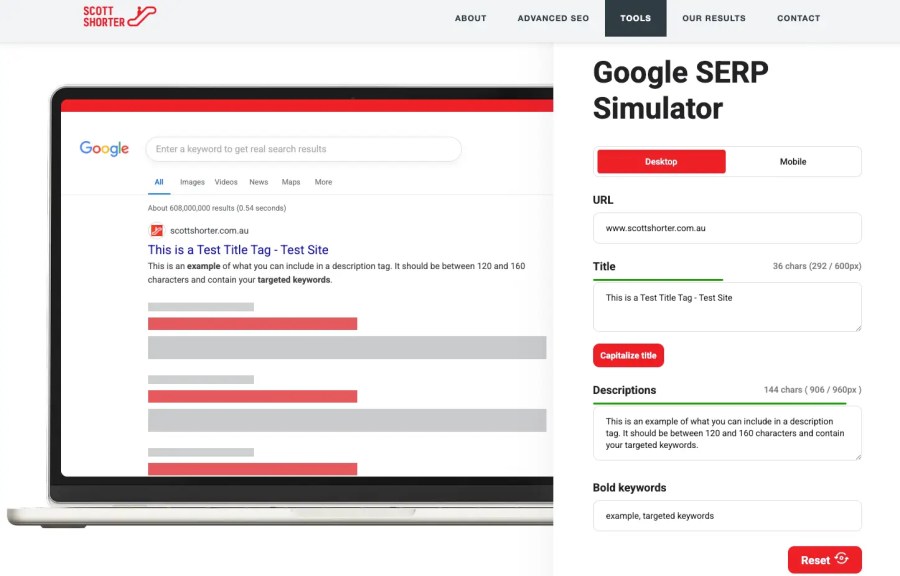
This is an Australian SEO company that offers various SEO services. You can check it out here. Their tool works great, and it’s fast. You can see the results directly on the spot. They offer helpful tips for writing the ideal length when it comes to SERP.
Here is how it works: type your website URL. Below, enter your title, and last, enter the description and the words you want to highlight. When you mess up, click the reset button, and if you want to switch to view it on mobile, just tap it.
✅ Pros:
- Free.
- No account or sign-in needed.
- Fast.
- Easy to use.
- Real-Time Preview.
- Ability to see your favicon in the preview.
- Great info – FAQ
❌ Cons:
- Fewer free preview options compared to Mangools.
2. Mangools: Free SERP Snippet Tool
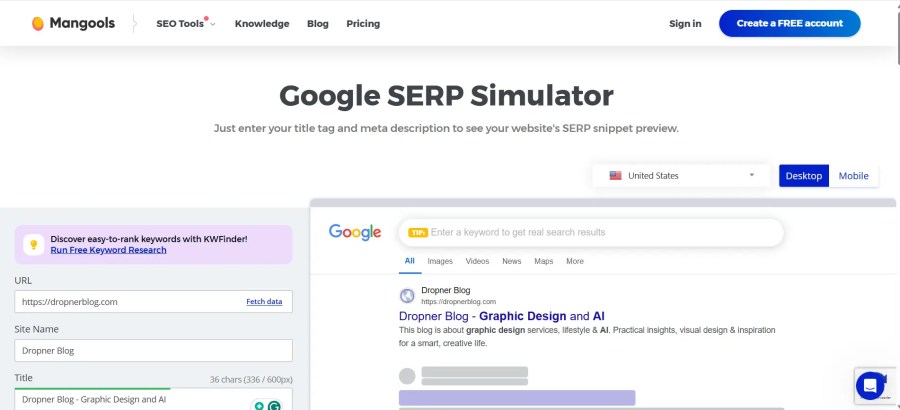
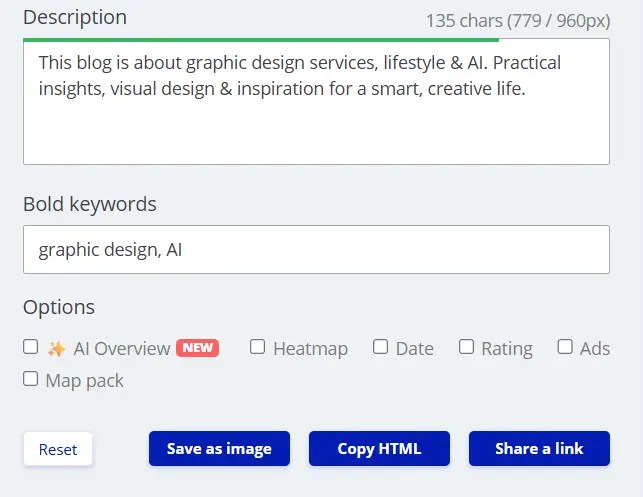
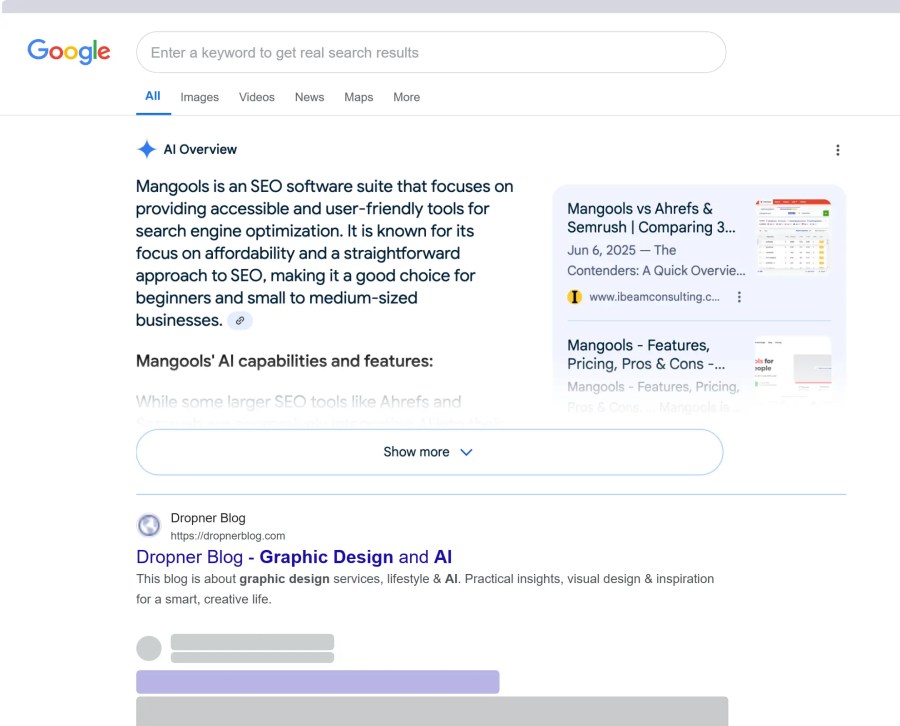
This works great; you can see the results on the same screen. You see a green bar when you are on point, and a red bar when you are not. As a bonus, you can save the image for further investigation. What I like about this is that it offers extra options, such as an AI overview.
✅ Pros:
- Free.
- No account or sign-in needed.
- Fast.
- Easy to use.
- Real-Time preview.
- Many extra options.
- Great tips.
❌ Cons:
- No ability to see your favicon in the preview.
3. Technical SEO (Dentsu)
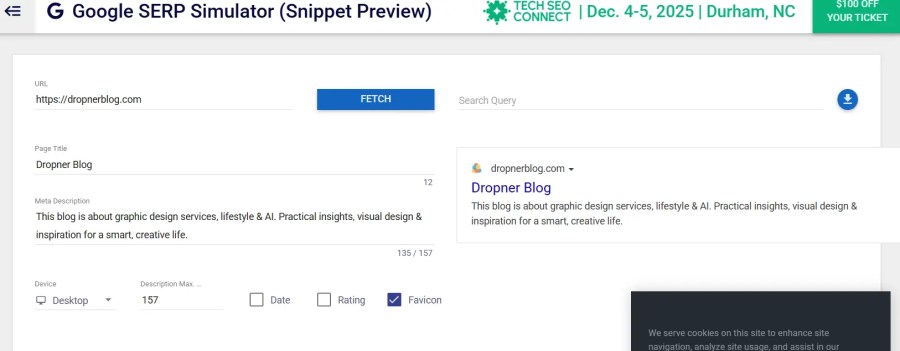
Have you heard of this tool? It provides basic features like other SERP tools. While it may not be unique, it serves those who need only the basics, which is sufficient for many people. They also offer various other free SEO tools. To explore them, click here.
I used this tool on my website to identify what needed fixing. I found that my meta descriptions weren’t interesting enough, which hurt my click-through rates. By improving these descriptions with technical SEO, I increased visitor engagement. It’s an easy tool that shows where improvements are needed, especially for beginners.
✅ Pros:
- Free.
- Fast.
- Real-time preview.
- No account or sign-in needed.
- Favicon available.
❌ Cons:
- Hardly any info about the site.
- Insufficient information provided.
- Many options are confusing for beginners.
- You don’t know which SEO option to use.
4. Highervisability
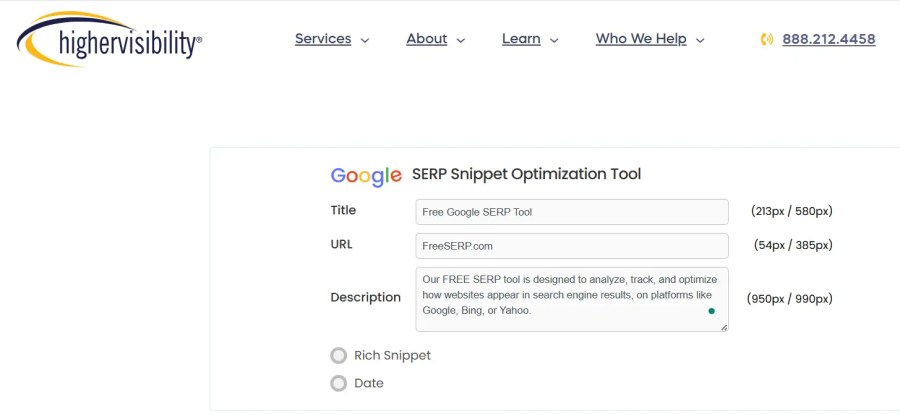
When I first started learning SEO, I used this tool almost every day because I wanted quick results. It does a great job explaining different SERP challenges. They also offer paid options that cover other ranking factors, like PPC and SEM.
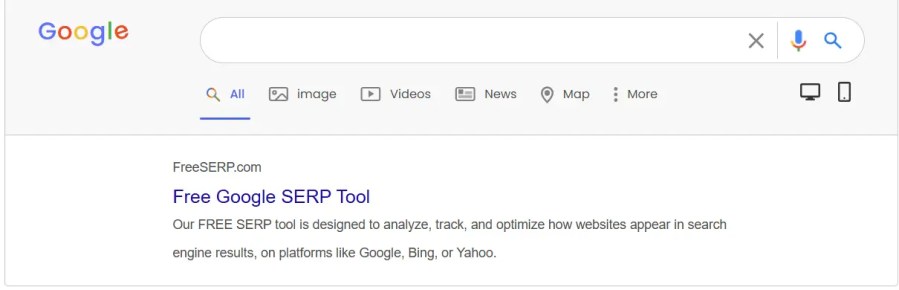
How it works: Enter your title, URL, and description, and stick to the numbers. And it will generate the preview.
✅ Pros:
- Fast.
- Preview in real-time.
- No account needed and no sign-in.
- Great tips.
❌ Cons:
- Too much explaining.
- A few practical examples.
- No Favicon preview.
5. Rank Math Meta Tag Analyzer
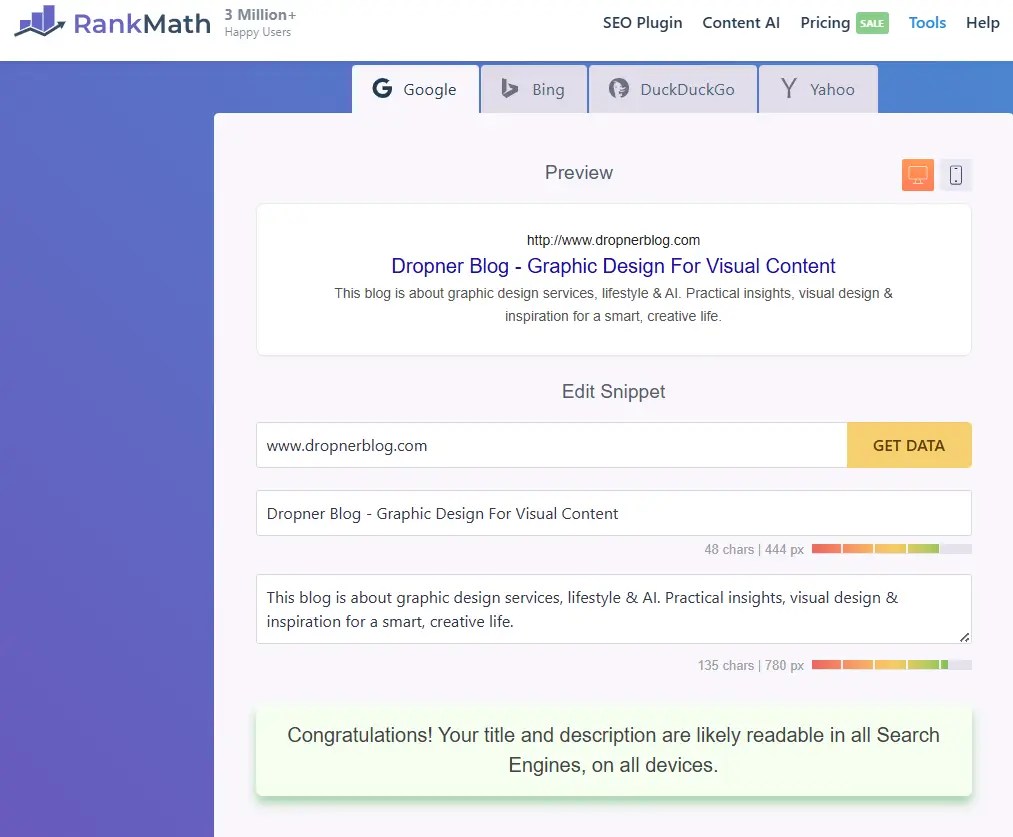
My blog uses the Rank Math plugin, which automatically includes the analyzer. This plugin is compatible with WordPress, making it a great choice for those managing their sites on this platform. Every post and the site title are reviewed before you publish, and you are notified if your site or post doesn’t meet SEO standards.
Here is how it works: if you have a life site, enter your domain.com and click get data in 1 or 2 seconds, you see your life meta tag, optimize it as you go.
✅ Pros:
- Rich snippet and schema support.
- Mobile and desktop preview options.
- The free version includes many premium features.
- SERP presented for various browsers.
- Successful optimized notification.
❌ Cons:
- WordPress-only.
- It may be overwhelming for beginners.
- No preview of favicon.
6. Textmagic
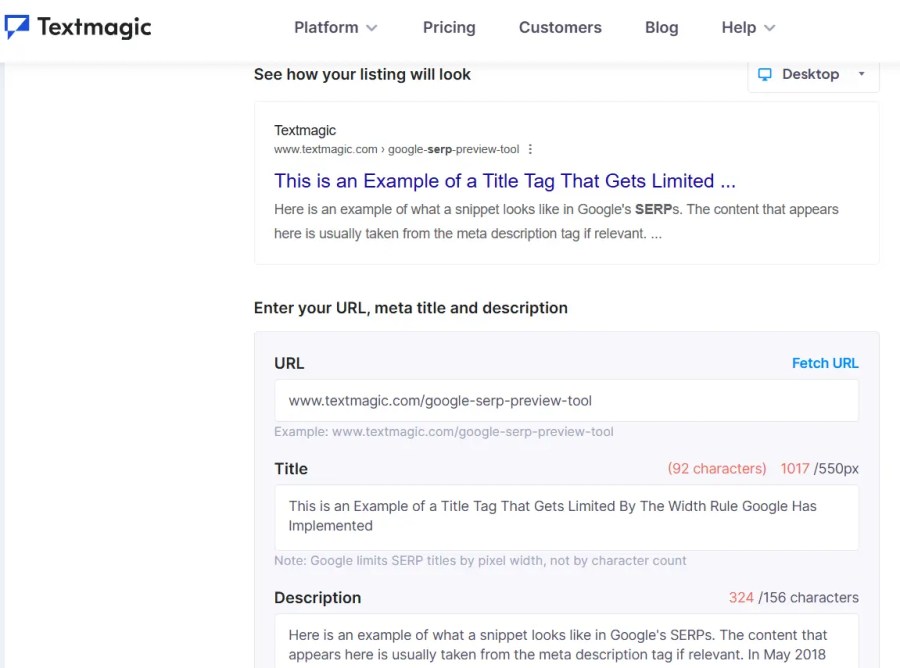
The TextMagic SERP Preview Tool allows you to simulate how your meta title, meta description, and URL will appear in Google’s desktop and mobile search results. It’s designed for marketers, SEO professionals, and content creators who want to optimize their snippets for better click-through rates and visibility.
You simply enter your title, description, and URL, and the tool generates a realistic preview of your Google listing. It also highlights truncation risks based on pixel width, not just character count—making it more accurate than basic character-based tools.
✅ Pros:
- Pixel-based accuracy: Shows truncation based on actual display width (e.g., 550px for titles), not just character limits.
- Mobile and desktop previews: Let you toggle between views to optimize for both formats.
- Keyword highlighting: Simulates how Google bolds relevant keywords in search results.
- Fast Real-Time Preview.
- No account or login needed.
❌ Cons:
- Limited analytics: It’s purely visual; no performance data or keyword tracking.
- No integration: Works as a standalone tool—no CMS or Google Search Console connectivity.
- No rich snippet simulation: Doesn’t support previews for schema types like FAQs, reviews, or product markup.
- No preview of favicon.
7. Portent SERP Preview Tool
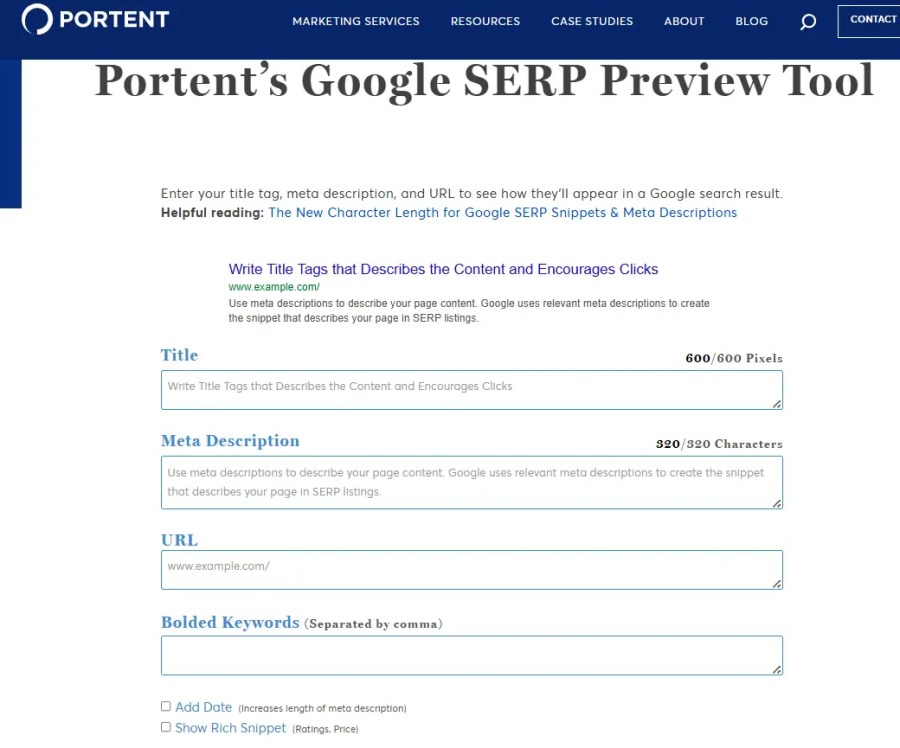
The Portent SERP Preview Tool is a free online tool that shows how your webpage will look in Google search results. It’s made for content creators, SEO specialists, and business owners aiming to improve their meta titles, meta descriptions, and URLs for better visibility and clicks.
Simply enter your title, description, and URL, and the tool instantly shows you how your snippet will appear in Google’s desktop results. This helps you prevent important information from being cut off and makes your content more appealing to searchers.
✅ Pros:
- Instant preview: See your snippet’s appearance immediately, including warnings for overly long titles or descriptions.
- User-friendly: No account required, no distractions, get started right away.
- Ideal for copywriters and marketers: Perfect for increasing click-through rates with engaging snippets.
❌ Cons:
- No mobile preview: The tool only shows desktop views, even though mobile traffic is often dominant.
- No support for rich snippets or schema: You can’t preview FAQs, star ratings, or product information.
- Limited integration: The tool works independently and doesn’t integrate with a CMS or Google Search Console.
- No preview of favicon.
8. Yoast SEO Plugin (WordPress)
Yoast SEO is one of the most popular and beginner-friendly SEO plugins for WordPress. It helps you optimize your website content so it ranks better in search engines like Google. Whether you’re writing blog posts, product pages, or landing pages, Yoast gives you real-time feedback on how to improve your SEO and readability.
One of its standout features is the SERP snippet preview—you can instantly see how your page title and meta description will appear in Google search results. It also checks if your content is too long, missing keywords, or not engaging enough.
✅ Pros:
- Real-time feedback on SEO and readability.
- Shows desktop and mobile previews.
- Integrated with your content workflow.
❌ Cons:
- Only available within WordPress.
- Requires setup and plugin management.
SERP F.A.Q
Frequently Asked Questions (FAQ) About SERP Simulators
Click to open👇.
Q: What are the first three things I should do after using a SERP simulator?
Answer:
1) Review the preview carefully—does your title and description clearly communicate your page’s value?
2) Check for any truncation or missing keywords that could weaken your snippet’s impact.
3) Use the feedback to refine your meta tags, then re-test until your snippet is both informative and engaging. Remember, even small tweaks can significantly impact your click-through rates.
Q: Which SERP simulator is best for beginners or small business websites?
Answer:
For most beginners, tools like Mangools and Scott Shorter are great starting points. They are fast, require no login, and offer clear, visual feedback. If you’re using WordPress, Yoast SEO or Rank Math provides integrated options. The best tool is the one you’ll actually use—so pick something straightforward and experiment.
Q: How much can improving my SERP snippet actually affect my website traffic?
Answer:
Honest answer: A lot! Research shows that a compelling title and description can significantly increase your click-through rate, sometimes by double-digit percentages. If your snippet stands out, you’ll get more eyeballs—even if you’re not #1 in the rankings. However, results aren’t instant; test, measure, and iterate to achieve the best outcome.
These answers are rooted in real-world experience and a genuine desire to help you get more from your search presence.
Engaging with your SERP previews isn’t just a technical step; it’s an opportunity to connect with your audience before they even visit your site.
Conclusion
Mastering SERP simulators is more than a technical SEO tactic—it’s your chance to create a real connection with your audience at first glance.
When you invest time in crafting clear, compelling, and relevant titles and descriptions, you set your website apart from the competition.
The tools and best practices shared here empower you to test, refine, and perfect your search snippets, turning every impression into an opportunity for engagement.

 Dropner Graphic Explainer