

Written By Bonny Isselt.
Hi bloggers and recent followers,
Every blogger knows that SEO is hard to learn, and when you think you’ve got it, then the SEO rules change slightly.
It seems as if you are always behind the facts. SEO is a complex matter where you do not immediately get to the point answers to your question.
It is wise to formulate your blog for SEO so that your blog is easily found and read. So you have to know SEO a bit.
Once you get it and apply it to your blog post, you will be glad (later down the road) that you have done it.
And you should not make it too heavy and difficult. In this blog post, I give you my SEO strategy and structure.
Table of contents.
- Look for SEO Keyword titles.
- Title generator.
- SEO Images, captions, and media.
- SEO subheadlines.
- Call to action button, backlinks, and (do-follow) links.
- Keyword-based content.
- Unique conclusions.
- Internal linking.
1. Look for SEO keyword titles.
Normally, you use an H1, HTML, or a keyword in your title. In any case, it should be friendly to the reader and the search engine.
The better your title matches the users or the reader, the better your SEO or search score.
The approach is quite simple, but the search is time-consuming sometimes – I don’t feel like figuring things out and keeping it simple.
In my video, I show you how to find keywords without all those paid keyword analysis tools.
Basic keyword research: follow me on YouTube.
2. Title generator.
If you struggle coming up with ideas for a title, then use title generators.
Some are popular on the internet, and some demand that you have to be creative with them.
To create flowing headlines with a title generator, I suggest going for a non-paid source such as Tweak Your Biz or Blog Title Generator | SEOPressor (limited use).
3. SEO Images, captions, and media.
When you add media, place a caption that explains the media. The benefit is that our brain and eyes work together on remembering things. Adding a clear caption to it can help explain your story faster, and it helps make it shareable.
Another advantage point is that Google images look for it. The code structure of a caption is an HTTP tag.
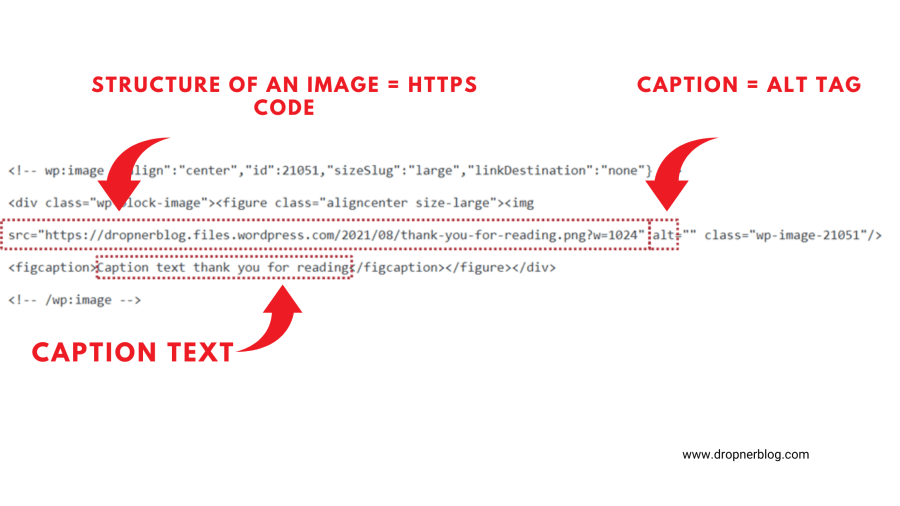
Example: Structure of an image = HTTPS code.
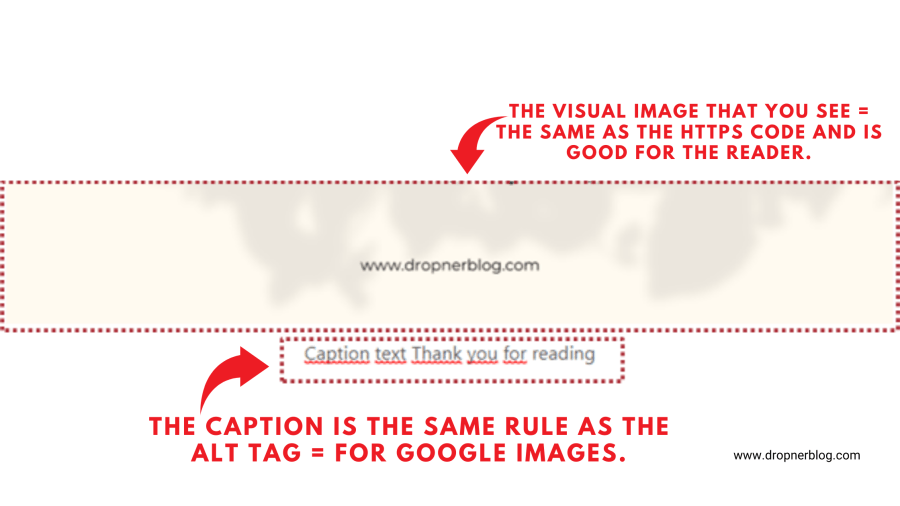
Example: Structure of an image = the same as the HTTPS code you see in the first image.
4. SEO subheadlines.
When you explain a topic, you must introduce it to the reader. The reader decides if they want to scroll to it and continue to read. With a subtitle or subheadline, you have to pay attention to:
- User-friendly.
- Helpful for the user.
- Motivational for the user.
- Clear.
- Search-friendly.
- Share-friendly.
Don’t puzzle the reader with nonsense and meaningless topics that are skipped and look dull. If you make edits to your blog, think first of what you’re going to do next.
Don’t make your subjects too hard, and don’t try to come across as an investigator, or you have to have a high IQ to read your work. This way, you stimulate no interest at all.
5. Call to action button, backlinks, and (do-follow) links.
It may sound strange, but the essence of a link is an HTTPS referral. Buttons and do-follow links have the same SEO structure; the link is not indexed in Google.
If you run a blog on WordPress, then by default, all links are nofollow and are not targeted.
Creating do-follow links will boost your PageRank because such a link is indexed in the search engine as a recommended source.
A do-follow link has to be made and is unique in its code. If you don’t know how to edit the code, then I suggest that you outsource it.
6. Keyword-based content.
In this phase, you want to test if your content is up to date and speedy. You also want your content to be keyword-based.
Don’t put keywords on every line: the reason is that your content looks spammy.
Use one keyword per topic to make it a smooth phrase for the reader.
For example, if your blog post is about SEO, don’t write that every line begins with the word SEO in it.
A good example (keywords in title and subheadlines).
- Title: 👉 The best 4 SEO tricks ever.
- Subheadline 1, 👉what is SEO?
- Explain it.
- Subheadline 2, 👉SEO tricks.
- Explain it.
- Subheadline 3, 👉SEO for mobile.
- Explain it.
- Subheadline 4, 👉How to use SEO for social media.
- Explain it.
The example above looks more structured so give it a try.
7. Unique conclusions.
Writing a conclusion can save readers time because some readers scroll down to it and check it first.
So don’t waste time and learn to summarize the text.
Any future reader who doesn’t know your blog can distinguish your blog post from the rest of your niche or market.
A conclusion is a part of your SEO, branding, and blogging strategy, so make it count.
8. Internal linking.
Written by Meike Hendriks.
This part is from: https://yoast.com/internal-linking-for-seo-why-and-how/
Before your content can rank, it needs links. Google finds your posts and pages best when they’re linked to from somewhere on the web.
Internal links also connect your content and give Google an idea of the structure of your website.
They can establish a hierarchy on your site, allowing you to give the most important pages and posts more link value than other, less valuable pages.
So using the right internal linking strategy can boost your SEO!
Internal linking is a link tactic that bloggers use to draw more readers. I use it on my welcome page: the location is under related pages or follow-up pages.
Conclusion.
Getting ranked on Google is to understand how the search engine works with links.
Structuring your blog post for SEO begins with how well the quality of your keywords is on the internet.
The better the quality of the source link, is how higher you end up in PageRank or the index of the search engine.
If you don’t know where to start, then begin with my 8 SEO tips daily.
Did you love to read this? Let me know how it goes.
Leave a comment if you agree, 👉 type agree 👈, like it, or share this with your friends.
Did I forget anything?
Share your tip in the comments.
See more by following my blog and staying informed of my blog tips when they are online.
Thank you.
 Dropner Graphic Explainer