
Disclosure: I earn a commission from Rank Math SEO if you use my link to install it. For more information, visit my disclosure page.
Introduction to: How to create SEO-friendly URLs
Have you ever wondered how websites make sure they become more discoverable and accessible?
It is because they make SEO-friendly URLs.
The purpose of making the URL readable in Google is not just for search engine optimization, but also to enhance user experience.
In this blog post, we give you a rundown of how you create them according to Google guidelines. And what you must avoid.
- Introduction to: How to create SEO-friendly URLs
- The structure of a URL
- What is a SEO-friendly URLs
- Google guidelines
- Test your URLs (only works on published URLs)
- How to create them easily using Rank Math SEO
- Test your URL and Meta Tags with Rank Math SEO?
- Alternative way
- SEO-friendly URLs and their positive impact on ranking
- Conclusion
The structure of a URL

Here are some basics of a URL to give you a rundown of what a URL is.
- The protocol is: https://
- A subdomain is www.
- Root Domain name: your website.
- Your TLD Top Level Domain. (.com)
- Category.
- Article name: the last part of the URL.
Now, let us dive into creating one.
What is a SEO-friendly URLs
SEO-friendly URLs have a positive impact on user experience and search engine optimization. Helping your content get discovered on the web.
❌ Wrong method.
👍 A good SEO practice.
A generic URL, for example: is this yoursite.com/page_id=123. That is a WordPress way of thinking. (Pretty bad).
yoursite.com/blog/seo-friendly-urls/
The last one tells what your blog is about. Here is an example of my URL structure.

Google guidelines
👍 Do this:
- Google suggests having a short URL structure.
- Use hyphens (-).
- Use lowercase.
- One keyword.
❌ Avoid this.
- Use numbers.
- Use lengthy words.
- Use uppercase.
- Use underscores (_).
- Use special signs. (?*^^().
- No keyword stuffing.
✅ Good URLs:
yourwebsite.com/category/filename/
That translates to.
dropnerblog.com/blog/best-seo-plugins/
❌ Wrong URLs:
yourwebsite.com/page?id=123!
YourWebsite.com/Cookies/_File_Name*/
Test your URLs (only works on published URLs)
If you are unsure if your URL is SEO-friendly, the best SEO practice is to test whether you have an SEO-friendly URL.
The benefit is that you know if your URLs can be read and reached by search engines. It is best to try different SEO-friendly URL checkers.
Two of them are:
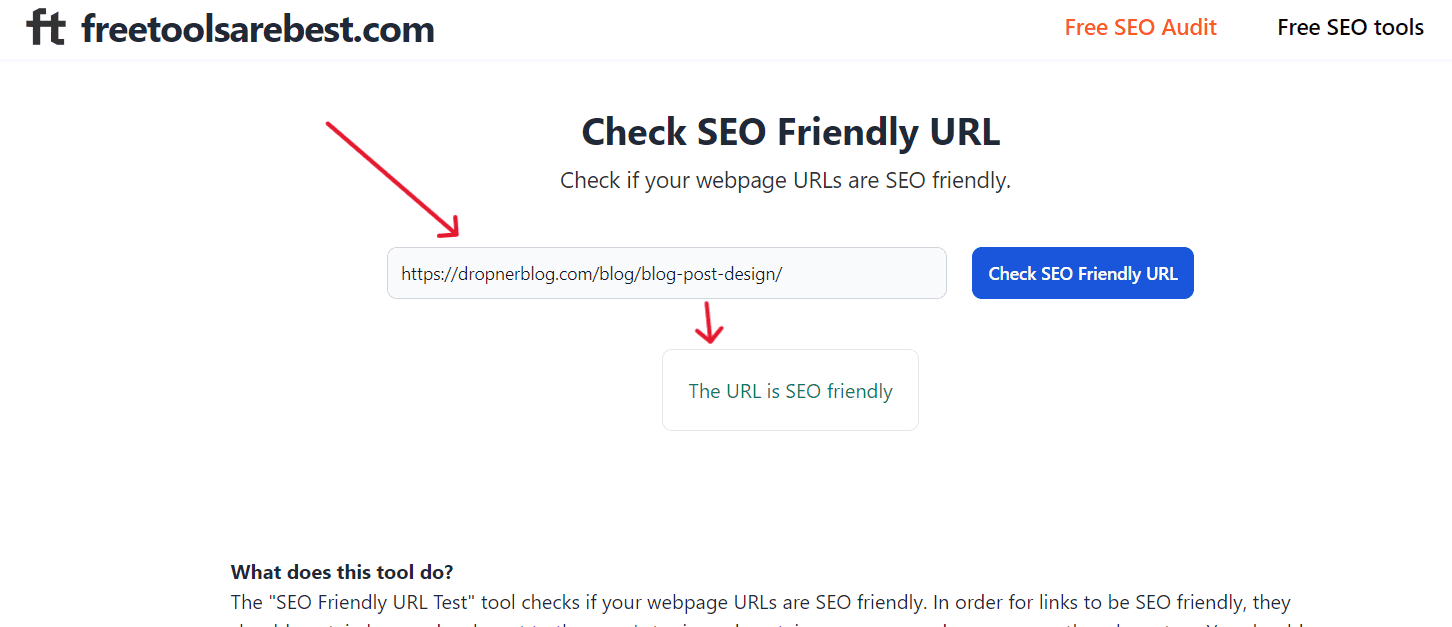
2. Rushax.

How to create them easily using Rank Math SEO
With Rank Math, you can easily change your link structure. URLs are bound by a few rules, so keep it short, no more than 75 characters. If you go over the limit of 75 Google cut them off.
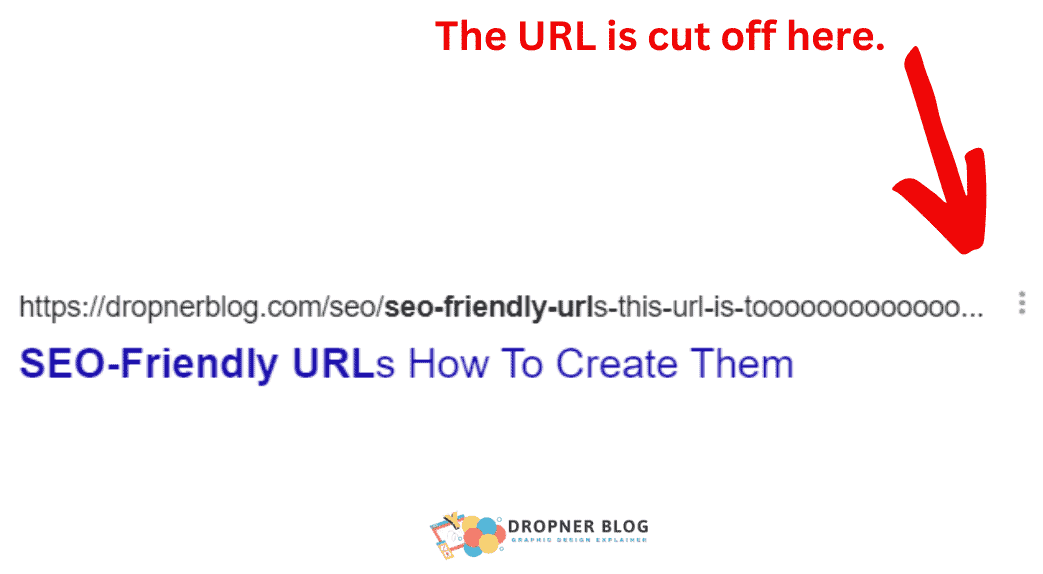
It is best to keep your URLs within those limits, to avoid your URLs being cut off.
This case study explains the importance of the URL structure for Google search.
When you make your URL readable, there’s a higher chance that your content will be found.
Best URL SEO practice
Read them here.
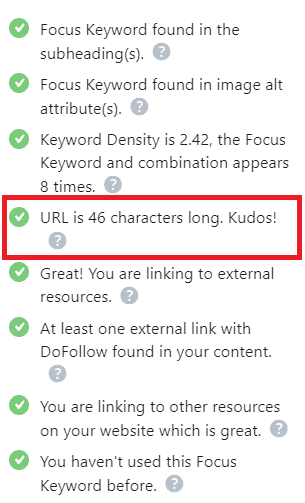
With Rank Math, you can easily change your link structure. URLs are bound by a few rules, so keep it short, no more than 75 characters.

To change its URL —> click on the edit snippet —> navigate to the permalink editor —> in that section, you can add it.

Test your URL and Meta Tags with Rank Math SEO?
It is better to check your URL to see if it complies with the SEO and meta tag rules. The main reason is that everything should be readable for people and search engines.
It is important to clarify your content because it is challenging if it is truncated, as is the case here.
This meta tag is therefore not optimized.



Alternative way
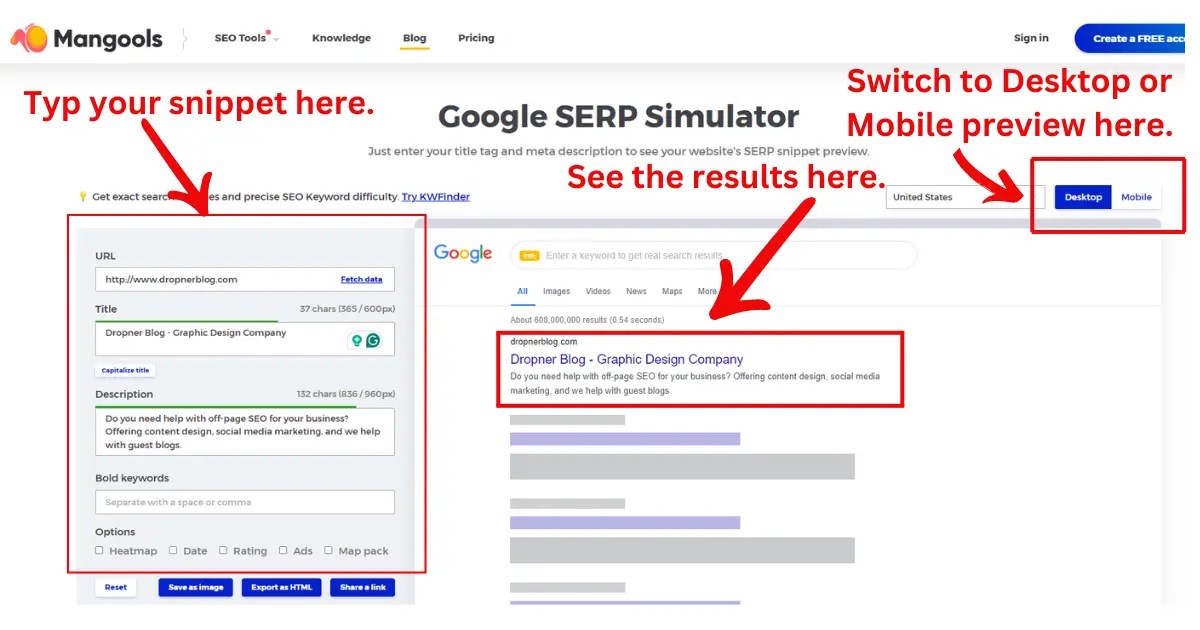
Another way to check the Search Engine Results Page (SERP) is by, using a free SERP simulator such as one by Mangools. The fundamentals are similar to those of Rank Math, and the test also needs to follow Google’s guidelines.
The only drawback is that you won’t see a preview of how your SERP or snippet appears on various browsers like you can with Rank Math.
You just type in the info you want to show, hit enter, and bam, the results pop up. If it’s not quite right, then you gotta tweak it until it’s the perfect length for Google’s SERP.
SEO-friendly URLs and their positive impact on ranking
SEO-friendly URLs are essential for improving a website’s visibility and ranking on search engine results pages. They assist both users and search engines in understanding the page content, contributing to a positive user experience.
By incorporating relevant keywords in the URL, businesses can effectively communicate the page’s topic and increase organic traffic.
Moreover, the simplicity and readability of SEO-friendly URLs make them more shareable and clickable, potentially enhancing the website’s overall click-through rate.
As search engines prioritize user-friendly and relevant content, having SEO-friendly URLs can significantly impact a website’s search engine ranking and digital marketing success.
Conclusion
To create SEO-friendly URLs, it’s wise to first do some research on how Google determines what a URL should look like before it can be indexed. It’s recommended for bloggers to invest in a WordPress SEO plugin that simplifies this task. Click the button below to start the SEO URL task with Rank Math.
 Dropner Graphic Explainer