

Written by Motif Creatives. ✔️ Edited and published by Bonny Isselt.
Is your company growing, or are you just guessing? Does real information guide your social media efforts? Does real information guide your social media efforts, or are they based on guesswork? No business can afford to operate this way in the modern environment.
Achieving success on Instagram, Facebook, LinkedIn, and even TikTok goes beyond having great content—I mean, it’s all about having solid data insights and informed decisions that drive results. This is where social media analytics come into play. It helps brands monitor the track record of their audience, understand their audience, make thoughtful strategies to grow, and so on.
Whether you’re a global brand or a tiny startup, using analytics is a game-changer. In this essay, we will look at how having a social media presence is increasingly important for companies and how data-driven decisions can improve organizational interaction and growth.
Table of Contents (Click to open.)
- What are Social Media Analytics?
- Why Social Media Analytics Matters for Business
- Social media analytics stats for 2025
- Key Metrics to Track
- Tools for Social Media Analytics
- What Google Analytics Shows You
- What Google Analytics Tracks and Reports
- What Hootsuite Shows You
- What Hootsuite Tracks and Reports
- What Buffer Shows You
- What Buffer and Tracks Reports
- What Sprout Social Shows You
- What Sprout Social Tracks and Reports
- What Meta Business Suite Shows You:
- What Meta Business Suite Tracks and Reports
- How to Use Social Media Analytics to Drive Growth
- Case Study: Small Brand, Big Growth
- Aligning Social Media Analytics with Business Goals
- Challenges and How to Overcome Them
- Trends in Social Media Analytics
- Tips for Better Social Media Reporting
- Conclusion
What are Social Media Analytics?
Social media analytics is collecting, tracking, and analyzing information from social platforms. This includes likes, shares, comments, reach, impressions, and even click-through rates. All of these constitute a clear picture of how effective your content is and how your audience receives it.
Now, it’s clear that you are not just posting and sitting back, waiting for the best to happen. It’s more about making decisions using numbers that enable you to track what content works, when to post, and the best platforms to utilize. Trends can also be analyzed over time in addition to monitoring competitors, thus improving strategic planning.
Why Social Media Analytics Matters for Business
Calculating social media ROI and monitoring interactions turns into tangible business action. The same goes for running a startup since time and budget are invariably restrictive. If you seek valuable resources, such as time or budget, look no further; social media analytics tells you exactly where to invest.
Along with allocating resources, social media analytics also lets you:
- Improve audience profiling
- Cut marketing costs while increasing engagement rate
- Strategic ROI tracking
- Identifying advocates and brand influencers
- Spot and fix strategy weaknesses
Businesses with a social media footprint are highly likely to grow followers, website traffic, and even sales over time, which is of the utmost importance.
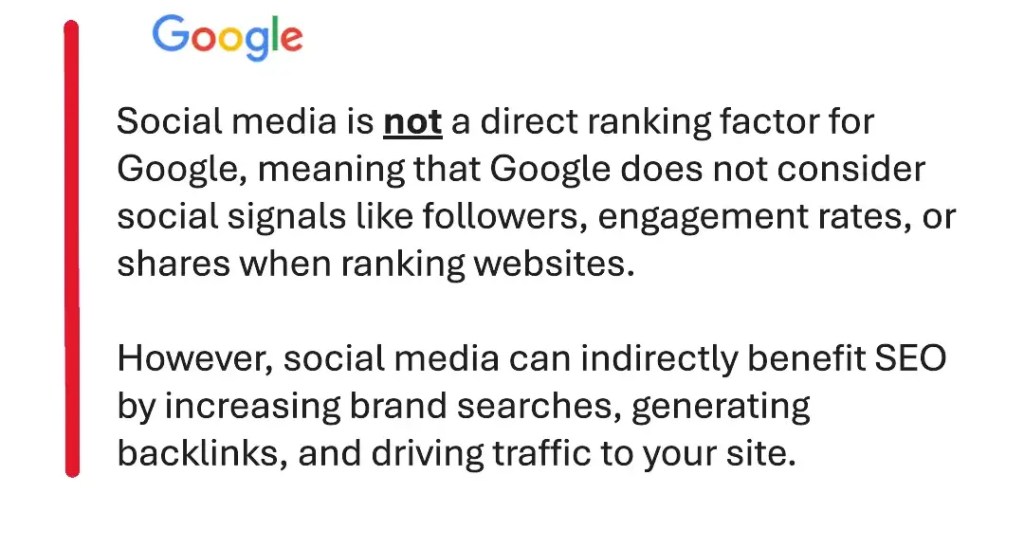
| Social media boosts SEO by influencing search engines directly and indirectly.

Social media analytics stats for 2025
Social media analytics is serious business; you can make 💰 cash money, ka-ching, with the right tools and experience in analyzing data.
Enough said: now let’s see the current stats about it.
| By 2025, it is projected that the number of social media users worldwide will reach 4.41 billion, representing around 55% of the world’s total population.
| Social media analytics tools are becoming increasingly important for businesses, with the global social media analytics market expected to reach $15.6 billion by 2025.
| The average daily time spent on social media is expected to increase to 3 hours per day by 2025, compared to 2 hours and 24 minutes in 2020.
| Social media is becoming increasingly important for businesses, with 92% of marketers saying it is important for their business by 2025.
| Influencer marketing is expected to reach $13.8 billion by 2025, driven by the increasing use of social media for advertising and promotions.
| The total global social media advertising revenue is expected to reach $240 billion by 2025, a significant increase from $96 billion in 2020.
It may not make you a billionaire overnight, but it shows how useful social media analytics tools can be for your online business.
The social media stats are looking pretty good, so let’s dive in and see why it’s such a handy tool!
Key Metrics to Track
Every decision must be supported by an appropriate guiding metric, and therefore, social media analysis must focus on the primary key performance indicators listed below.
1. Engagement Rate
This incorporates likes, comments, shares, and saves. A high engagement rate indicates the audience is responding positively to the content.
2. Reach and Impressions
Reach is the unique number of users who saw your post, while impressions are the total number of times your content was shown. Collectively, they help you gauge your content’s visibility.
3. Click-Through Rate (CTR)
This indicates how frequently users access your hyperlinks. A higher CTR suggests that your call to action is placed correctly.
4. Follower Growth Rate
Measuring the increase or decrease in followers helps one evaluate the effectiveness of social media strategies.
5. Conversion Rate
Purchases affiliated with social media engagement are crucial, especially for e-commerce businesses.
Tools for Social Media Analytics
Tracking and analyzing data can be made easier using various tools. Such tools and their uses include the following:
- Google Analytics – Tracks social traffic to your website.
- Hootsuite – Offers detailed performance reports for all major platforms.
- Sprout Social – Provides deep analytics with audience insights.
- Buffer – Great for scheduling and tracking post-performance.
- Meta Business Suite – Facebook and Instagram’s built-in analytics tools.
What Google Analytics Shows You
Google Analytics provides a wealth of information regarding website traffic and social media performance. Here’s a breakdown of what it shows and tracks:
- Visitor Insights: Total number of visitors: Both new and returning users. Geographic location: Where your visitors are coming from. Device usage: Breakdown of users by desktop, mobile, or tablet.
- Traffic Sources: Direct Traffic: Users who land on your site by entering the URL directly. Organic Search: Visitors who arrive via search engine results. Referral Traffic: Users who come from links on other websites. Social Traffic: Visitors coming from social media platforms.
- User Behavior: Pages per session: How many pages a user visits during a single session. Average session duration: How long visitors stay on your site. Bounce rate: Percentage of users who leave after viewing only one page.
- Content Performance: Top-performing pages: Which content attracts the most visitors? Average time spent on pages: Indicates how engaging the content is. Exit pages: Where users leave your site.
- Conversion Tracking: Goal completions: Actions you want visitors to take (like signing up or purchasing). Conversion rate: Percentage of users who complete a goal against total visitors. E-commerce tracking: If applicable, insights into revenue, transactions, and average order value.
What Google Analytics Tracks and Reports
- Social Traffic Metrics: Grants detailed reports on the amount of traffic driven to your website from social media platforms. Breaks down which platforms (Facebook, Twitter, Instagram, etc.) bring in the most traffic.
- Engagement Metrics: Time on site for users coming from social media: Understand how engaged these visitors are compared to others. Pages per session: Evaluate how many pages social media visitors explore.
- Social Conversions: How many social media visitors completed a goal (e.g., signing up for a newsletter, making a purchase)? Social media conversion rates compared to other traffic sources.
- Social Media Campaign Tracking: Use UTM parameters to track the success of social media campaigns. Analyzes the impact of specific posts or ads on driving traffic and conversions.
To install Google Analytics on WordPress, see the video below.
What Hootsuite Shows You
Hootsuite offers a comprehensive suite of features designed to help businesses manage their social media efforts effectively. Here’s a breakdown of what Hootsuite shows you:
- Engagement Rates: Measure likes, shares, comments, and overall engagement on your posts.
- Follower Growth: Track increases or decreases in follower counts over time.
- Post Performance: Insights into which posts garnered the most engagement.
- Content Scheduling: Plan and schedule your posts across different platforms in advance.
- Content Calendar: A Visual representation of your content strategy over days and weeks.
- Demographics: Understand the characteristics of your audience, including age, location, and interests.
- Behavior Patterns: Analyze user behavior to tailor content accordingly.
- Tracking Campaigns: Monitor the effectiveness of specific marketing campaigns.
- ROI Measurement: Evaluate the return on investment for paid advertising efforts across platforms.
What Hootsuite Tracks and Reports
Hootsuite tracks and reports various metrics across social media platforms that are crucial for evaluating the success of your social media strategy:
- Engagement Metrics: Detailed reports on user interactions with your posts (likes, comments, shares). Breakdown of interactions by individual post and time.
- Traffic Metrics: Insights on how much traffic is generated from social media to your website. Specific data on which platforms are driving the most traffic.
- Competitor Analysis: Compare your performance against competitors to identify strengths and weaknesses in your social strategy. Analyze competitor engagement rates and content strategies.
- Hashtag Performance: Track the performance of specific hashtags over time. Determine which hashtags drive more engagement and visibility.
- Custom Reports: Generate tailored reports based on specific metrics you wish to monitor, such as campaign performance or audience growth.
Using Hootsuite effectively enables businesses to refine their social media strategies, ensuring they make data-driven decisions that can lead to greater engagement and growth.
What Buffer Shows You
Buffer provides a streamlined analytics dashboard that helps users track and measure their social media performance across platforms like Instagram, Facebook, X (Twitter), and LinkedIn. Here’s what it offers:
- Performance Metrics: Buffer tracks engagement, reach, clicks, post shares, and follower growth.
- Best Posting Times: It analyzes audience activity and engagement patterns to recommend optimal posting times.
- Custom Reports: Users can create and export reports with selected metrics to share insights.
- Audience Insights: Buffer provides demographic data, engagement trends, and content preferences to refine strategy.
- Organic vs. Boosted Posts: It compares the performance of paid and organic content side by side.
- Cross-Platform Tracking: Users can view aggregated performance data across multiple social channels in one dashboard.
What Buffer Tracks and Reports
Buffer provides engagement metrics to help you understand how your audience interacts with their social media content. Here’s a breakdown of key engagement metrics it tracks:
- Likes & Reactions: Indicate how much users appreciate your content.
- Comments: Show direct audience interaction and provide insights into sentiment.
- Shares & Retweets: Measure how often users distribute your content to their own networks.
- Click-Through Rate (CTR): Tracks how many users click on links in your posts.
- Save & Bookmark Rates: Reflect content that users find valuable enough to revisit.
- Engagement Rate: A percentage that compares total interactions to total reach or followers.
- Video Views & Watch Time: Help assess how engaging your video content is.
- Mentions & Tags: Show how often users reference your brand in their own posts.
Tracking these metrics helps refine your strategy and improve audience connection. You can explore more details here.
What Sprout Social Shows You
Sprout Social is a robust social media management tool that provides businesses with a comprehensive suite of features tailored for effective social media analysis and engagement. Here’s what it offers:
- Engagement Rates: Analyze likes, shares, comments, and overall engagement on posts.
- Follower Growth: Monitor changes in follower counts over time.
- Post Performance: Insights into which posts are generating the most interactions.
- Content Scheduling: Plan and automate your social media posts across various platforms.
- Content Calendar: A Visual representation of your posting schedule, helping you strategize content effectively.
- Demographics: Detailed information about your audience, including age, location, and interests.
- Behavior Patterns: Understand user behavior for more targeted content creation.
- Tracking Campaigns: Monitor the effectiveness of specific marketing campaigns and promotions.
- ROI Measurement: Evaluate the return on investment for paid advertising initiatives.
- Competitive Analysis: Compare your social presence against competitors to identify strengths and weaknesses. Gain insights into industry trends and benchmarks.
What Sprout Social Tracks and Reports
Sprout Social focuses on various crucial metrics that ensure businesses can effectively evaluate their social media strategies:
- Engagement Metrics: Detailed reports on user interactions with posts, including likes, comments, and shares. Performance breakdown by individual post, allowing for strategic adjustments.
- Traffic Metrics: Insights on traffic generated from social media to your website. Data on which platforms are directing the most visitors to your site.
- Competitor Analysis: Performance comparisons against competitors to help refine your strategies and identify improvement areas. Analysis of competitor growth rates and engagement to inform your own approach.
- Hashtag Performance: Track the effectiveness of specific hashtags and how they contribute to engagement and visibility. Identify trending hashtags within your niche.
- Custom Reports: Generate tailored reports based on specific metrics, such as campaign performance, audience growth, and engagement levels. Utilizing Sprout Social can empower businesses to make informed, data-driven decisions that enhance social media engagement and growth.
These tools save time and offer visual reports to help you make informed decisions.
What Meta Business Suite Shows You:
Meta Business Suite provides a comprehensive overview of your social media performance on Facebook and Instagram, along with tools to analyze and understand your audience and content effectiveness. Here’s a breakdown of what it shows, tracks, and reports:
- Overview Dashboard: A quick snapshot of your Page and profile performance, including recent posts, notifications, and recommendations for actions you can take.
- Notifications: All your notifications from Facebook and Instagram, such as likes, comments, shares, and messages, in one centralized feed.
- Inbox: A unified inbox to view and respond to messages, comments, and (sometimes) WhatsApp chats from all connected accounts. It often displays customer information like name and profile picture.
- Content: A library of all your published posts, stories, and reels on Facebook and Instagram. You can see their status (published, scheduled, draft) and basic performance metrics.
- Planner: A calendar view of your scheduled content, making it easy to visualize your upcoming posts and plan your content strategy.
- Ads: An overview of your ad campaigns, including their status, spend, and basic results.
- Insights Overview: High-level metrics on your reach, engagement, and audience growth over a selected period.
- Audience Insights: Demographic information about your followers and the people who engage with your content, including age, gender, location (top cities and countries), and sometimes interests.
- Benchmarking: The ability to compare your Page’s performance against similar businesses. You can often add specific competitors to track their metrics alongside yours.
- Recommendations: Suggestions from Meta on how to improve your content, reach more people, or optimize your ad campaigns.
- “What’s New” Section: Updates and announcements about new features and changes within Meta Business Suite.
What Meta Business Suite Tracks and Reports
Meta Business Suite tracks a wide range of metrics to help you understand your social media performance. These metrics are generally available for both Facebook Pages and connected Instagram Business profiles:
Content Performance (Organic & Paid):
- Reach: The number of unique people who saw your content. It often differentiates between organic and paid reach.
- Impressions: The total number of times your content was displayed.
- Engagement: The total number of interactions with your content, including likes, reactions, comments, and shares.
- Link Clicks: The number of times users clicked on links in your posts or ads.
- Post Clicks: The total number of clicks on your posts (including link clicks, photo views, etc.).
- Video Performance: Metrics like views, average watch time, and audience retention for your videos and reels.
- Story Performance: Metrics like reach, impressions, taps forward/backward, and exits for your stories.
- Results: For ad campaigns, this tracks the number of achieved outcomes based on your campaign objective (e.g., leads, purchases, website visits).
- Cost Per Result: The average cost to achieve one result from your ad campaign.
Audience Insights:
- Follower Growth: The number of new followers gained over a specific period.
- Demographics: Age and gender distribution of your audience and engaged users.
- Location: Top cities and countries where your audience resides.
- When Your Audience is Online: Data on the days and times your followers are most active on Facebook and Instagram.
- Potential Audience: Estimates on the size and demographics of potential audiences you can target with ads.
Messaging Performance:
- Number of Conversations Started: The number of new conversations initiated with your business.
- Response Rate: The percentage of direct messages you’ve responded to.
- Average Reply Time: The average time it takes for you to respond to messages.
Ad Performance:
- Ad Spend: The total amount of money spent on your ad campaigns.
- Reach and Impressions: The number of unique people reached and the total number of times your ads were displayed.
- Click-Through Rate (CTR): The percentage of people who saw your ad and clicked on it.
- Cost Per Click (CPC): The average cost you paid for each click on your ad.
- Conversions: The number of desired actions taken as a result of your ad (e.g., purchases, sign-ups).
- Return on Ad Spend (ROAS): A measure of the revenue generated for every dollar spent on advertising (if conversion tracking is set up).
Benchmarking:
- Comparison of your Page likes, post engagement, and content published against selected competitor Pages.
Meta Business Suite enables you to customize report dates and export data for social media analytics. By consistently reviewing these metrics, you can discover what your audience enjoys, optimize your posting times, enhance ad targeting, and improve your overall social media strategy.
How to Use Social Media Analytics to Drive Growth
Interpreting social media analytics is not an end in itself; it is a means of acting based on what the numbers tell you. Below is how you can utilize insights to improve your offerings and grow faster.
1. Refine Your Content Strategy
Identify which posts have higher engagement levels and create more of them to boost follower retention.
2. Optimize Posting Times
Analytics allows you to gauge when users are active and increases the likelihood of the content being seen and shared.
3. Target the Right Audience
Take advantage of behavioral and demographic data to target content to relevant users. For example, younger followers can resonate with trendy visuals and slang.
4. Improve Customer Service
Users leave behind comments and messages questioning or complaining about specific products. Tracking these interactions allows for faster responses, enhancing brand perception.
5. Test and Tweak Campaigns
Analytics allows you to conduct A/B testing on content, subtitles, hashtags, or even the advertisement format. You can save what works and discard what doesn’t.
Case Study: Small Brand, Big Growth
Let’s examine a small online store that sells handmade candles. We will start at the beginning, when they posted haphazardly, used arbitrary hashtags, and received little involvement from their audience. Analyzing their data showed that their audience loved behind-the-scenes content and product demos. They also discovered that posts made at 7 PM on weekdays performed exceptionally.
Then they changed their:
- Created product videos and uploaded them.
- Posted during peak engagement hours.
- Observed which hashtags increased visibility.
As a result of leading with data, the brand saw a 60% growth in its Instagram followers in three months, and its website traffic doubled. Sales also increased by 45%.
Aligning Social Media Analytics with Business Goals
It is crucial to balance business analytics with company objectives. If you want to enhance brand recognition, focus on reach and impressions. If you want more sales from the website, monitor and track sign-ups and conversions.
Say for example, you run an online store using WooCommerce and offer flexible pricing for your products, it might be useful to test the social media impact of the “pay what you want” pricing model, just to see if it drives any additional traffic or sales, in which case the WooCommerce name your price plugin would suit your needs perfectly. If a post that aims to drive traffic for “pay what you want” pricing gets a lot of impressions, then it makes sense to analyze that further.
Challenges and How to Overcome Them
Even with powerful tools, some challenges remain. Here’s how to handle them:
Too Much Data
It can feel overwhelming to have so many things to do. Try to focus on a few primary focus areas that support your objectives.
Platform Differences
Every social media platform has its distinct algorithm. Don’t anticipate similar outcomes across the board. Change your approach accordingly.
Inconsistent Tracking
Regularly monitor the results. Set weekly or monthly reporting periods to help recalibrate easily.
Misinterpreting Data
Data can be misleading. Using analytics with feedback helps polish the final campaign.
Trends in Social Media Analytics
As technology evolves, so does social media analytics. Here are some key trends:
AI and Predictive Analytics
The capability of predicting what type of content will perform best has recently been added to AI. This can enable you to devise campaigns, making planning more effective.
Real-Time Monitoring
Live dashboards provide reporting on performance in real-time. Excellent for time-critical campaigns.
Sentiment Analysis
Data may be quantitative in nature, but now some tools monitor the tone of user comments to measure sentiment.
Cross-Platform Reporting
All your Instagram, TikTok, and LinkedIn content can now be accessed from a single location.
Tips for Better Social Media Reporting
Effective reports enable you to assess your social media activity and communicate insights to the team, which is why thorough reporting is essential. Here is a checklist to get started:
- Visual representation above all else. Use graphs or any chart.
- Set the current number against a previous number.
- Clearly outline what worked and propose what can be done better.
- Create distinct versions catered to different departments, such as marketing, sales, or customer service.
- Define KPIs (Key Performance Indicators) at the beginning to measure progress against set goals.
Conclusion
A common misconception about social media analytics tools is that they help collect data. In reality, they can act as an engine for growth. By considering the preferences of the audience, such as when they are online and how they interact, decisions can be made to strengthen their presence online. With data at hand, decisions don’t have to be made based on assumptions, ultimately saving money and improving content strategy.
No matter if you’re tracking basic likes and shares or using high-level predictive social media analytics, the objective remains the same: understanding your audience and growing your brand. Even for small-scale e-commerce websites with features such as WooCommerce name your price, analytics provide valuable insight for enhancing engagement and driving higher sales.
So, what are you waiting for? Track, test, and thrive.
 Dropner Graphic Explainer