
Disclosure: The Resource Is From Canva Newsletter.
I Earn A Fee If You Sign Up For The Pro Version At No Added Cost To You! Thanks For Your Support.

Written By Bonny Isselt.
Canva tips and tricks
Canva launches from time to time new design tools to make stunning graphics. To get your designs in a strategic advantage point.
Any blogger or business owner wants to be specific with their online projects. But you don’t want to pay for not needed, expensive stuff or anything you need is restricted access only when you pay do you get access.
So you can’t see the action or have examples to go with it.
Software design companies such as Canva hold examples they call templates. You can design from scratch thereby you must include all the design guidelines that resonate with your brand.
I like a big design with your main topic and focus points in the reading or looking frame.
Need A Canva Logo? Try These 10 Templates
In this blog post, you get the latest design news and what Canva has to offer in 2022.
Canva Launch 1: Content sharing
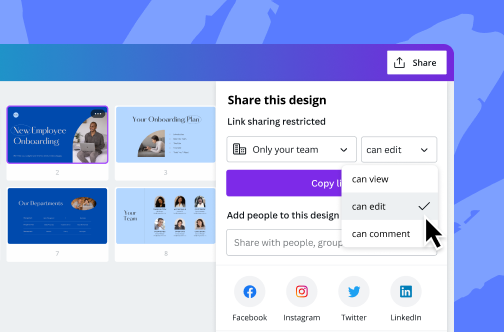
Sharing projects with anyone in or outside of your team just got easier. Canva introduced a simple link feature to share your designs. You can change and manage the permissions, including comment only and view only. So get ready to show off all of your amazing work.
Do you want to learn more about Canva tips and tricks and design-related? You should read my related blog post, about it.
3 Tips For Making Your Design With Canva Awesome.
Elevate Your Social Media With Canva
https://kripeshadwani.com/canva-tips-and-tricks/
https://www.canva.com/learn/graphic-design-tips-non-designers/
Canva Launch 2: Hiding presentation slides
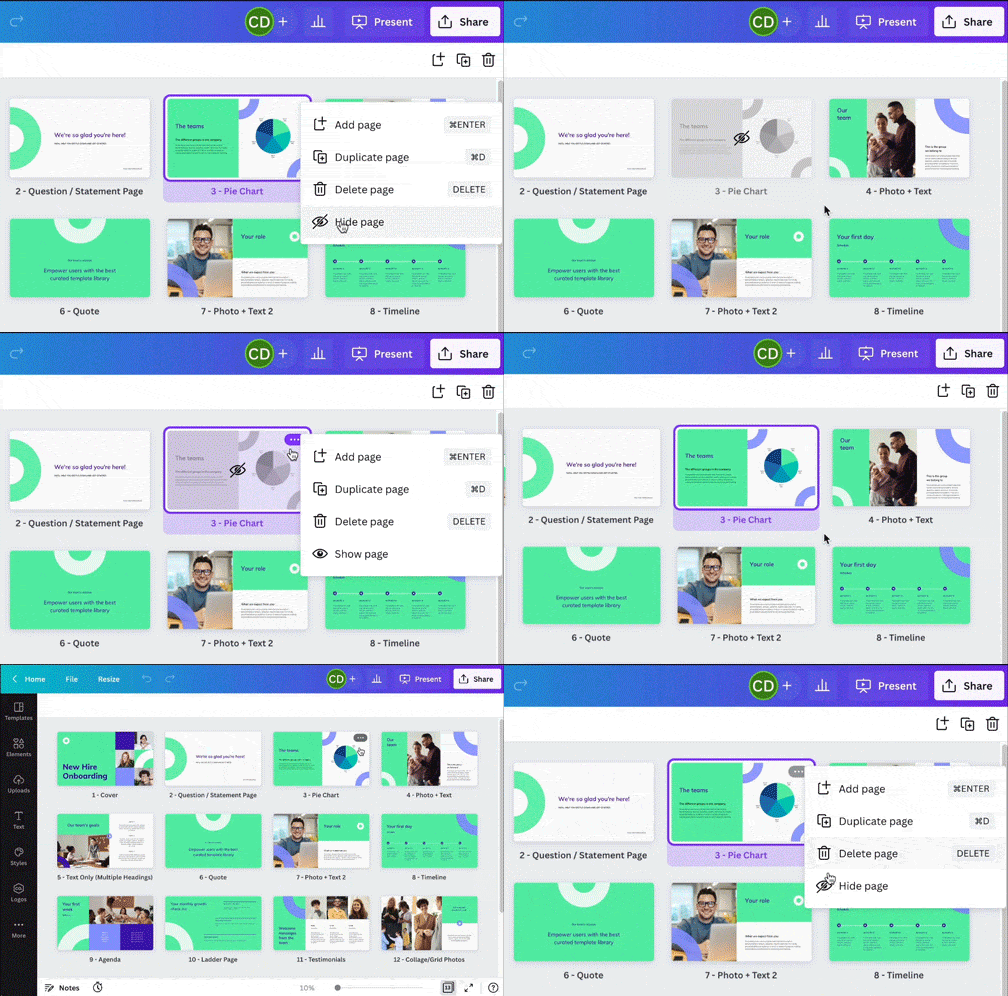
This slide is for your eyes only – now you have the added flexibility of hiding and showing slides in presentations. Hiding slides is great if you want to add extra context or shorten your overall presentation time and keep your audience engaged. Give it a try with your next Presentation design.
Canva Launch 3: Reactions and Comments 👌
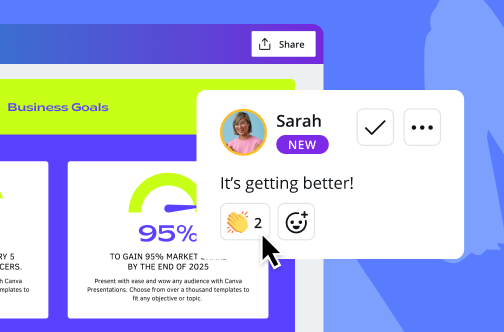
Add some personality to your feedback and communicate with ease using emojis. Now you can react with emojis on the collaborator’s comments to seamlessly communicate with your teammates and work better together.
Canva Launch 4: Your projects folder
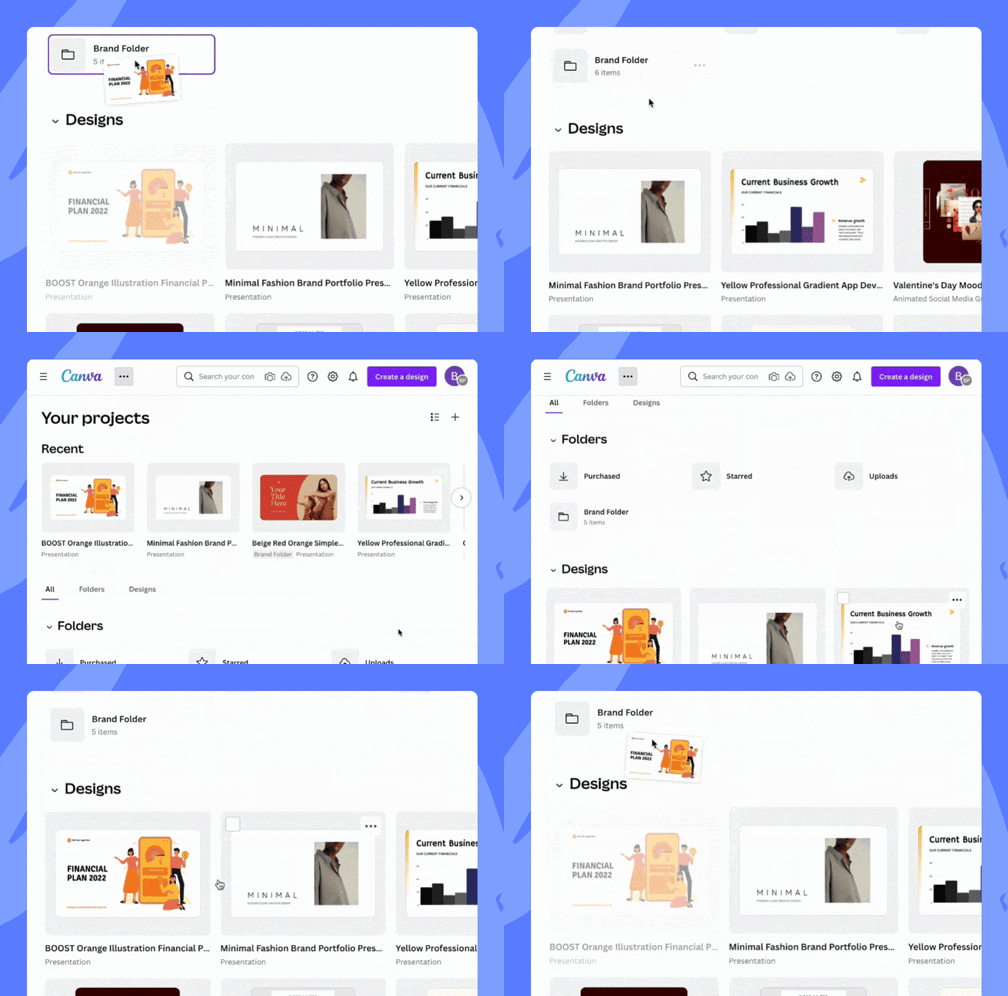
Get organized and find your designs more easily with your new ‘Your Projects’ folder. All of your projects are automatically sorted into one consolidated folder, so you can spend less time searching and more time designing. You can also search within this folder to make it even easier to use.
Canva Launch 5: Magic Shortcuts for Presentations
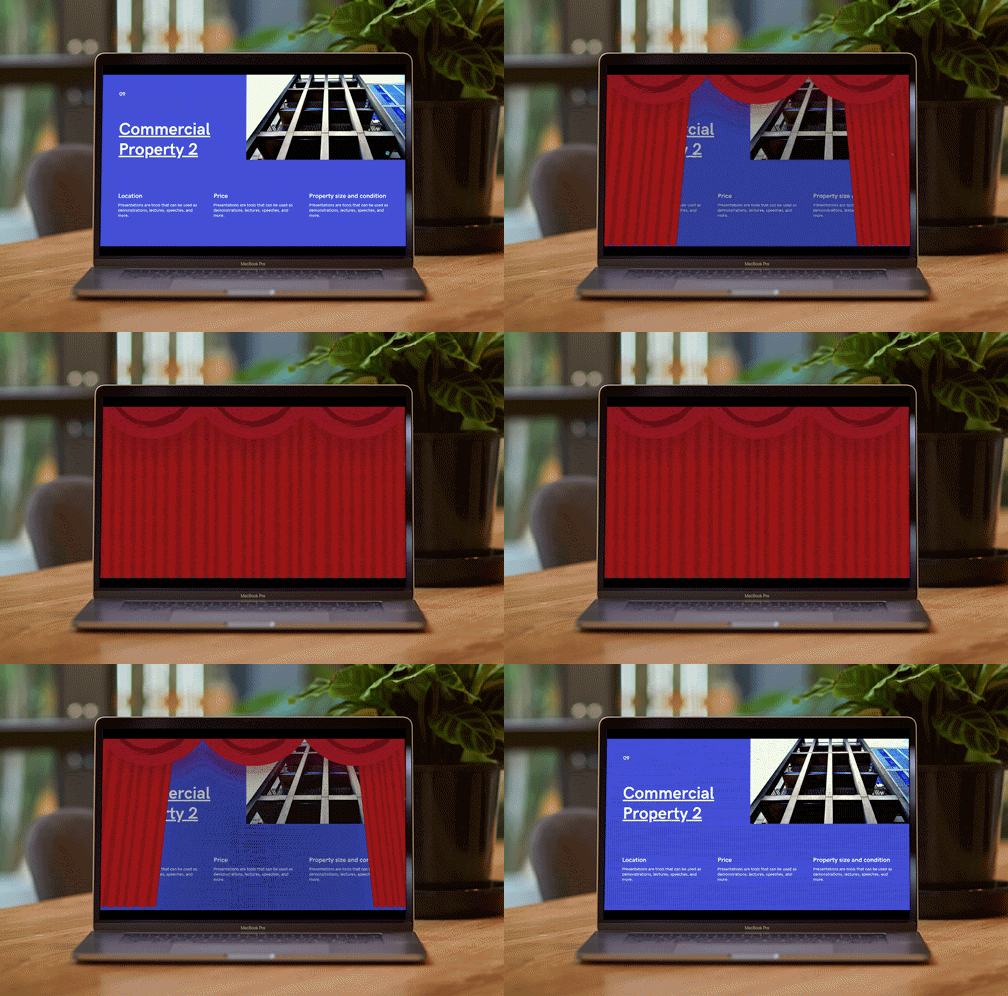
Canva added 2 new magic shortcuts to Presentations – Curtain Call and Mic Drop. Want to add a special reveal? Press ‘U’ while presenting for a curtain call. This is a great way to add suspense and bring magic to important moments.
Are you ready for this Mic Drop moment? End your presentation with a bang. Simply press ‘M’ while presenting to land your message and leave a lasting impression.
These are the latest updates as the years go on you can expect more Canva tricks and tips.
Do you want to know what Canva has to offer? Check this video.
Conclusion
Creating a business around your content demands that you invest in design tools that are easy to use such as Canva. Also, be patient with your progression first you must learn it and try it in a useful way.
As you learn more, you slowly get better at it. So now it’s time to do marketing and apply it to your startup business. So you create advantage points for your startup business.
Be sure to follow my blog to get the latest Canva news and deals.
