

Written By Bonny Isselt.
Hi bloggers and recent followers,
Do you want an SEO-optimized blog but don’t know where to start? SEO is one of the hardest things you can find on the internet. Not every SEO information that you browse for is relevant.
Google is by far the biggest search engine according to this blogger. https://www.meerakothand.com/seo-tips-for-bloggers/. She says that it is smart to use Google as a part of your SEO strategy.

Let us start at the beginning of SEO and strip it down to the basics of what a search engine needs. And what you can do to improve your SEO blog.
Tip 1. Know the roadmap to an SEO-optimized blog with the RankMath SEO plugin
If you can install the plugin called RankMath SEO. This plugin connects and integrates the SEO score in the Google Search Console. Why should you use this plugin?
Well, it makes optimizing for Google searches much faster. The plugin points you to what you can do before you publish anything.
The RankMath plugin shows you how and what you need to improve using ALT tags, how many words you need to have, the ability the place keywords, and more.

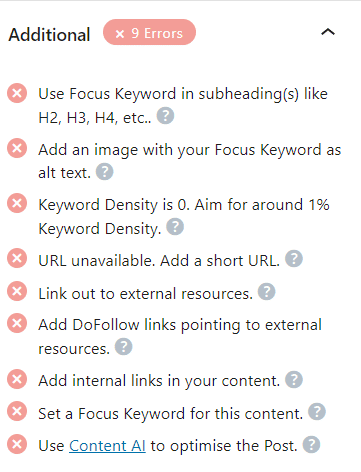
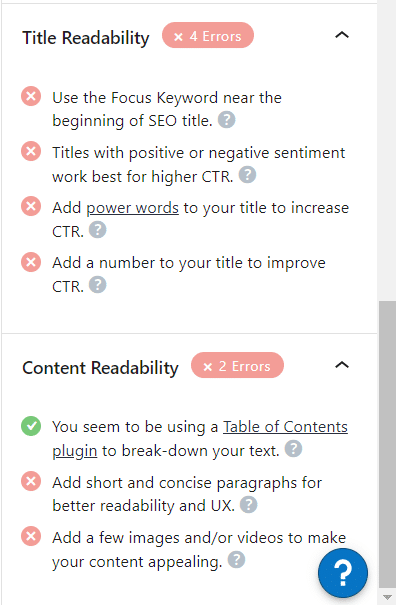
Read more about word count on the RankMath blog.
When you fix those errors, the SEO score of the content turns green. That means you did a good job.
Tip 3. Know the SEO Ranking factors
Do you know what the ranking factors are? On the Backlinko blog, you can read their entire list.
But on this blog, we keep it short and easy to understand for you.
1. Traffic ranking factor.
How people scroll, read, and interact with your content on desktop and mobile.
2. Content ranking factor.
Is your content practical for the user and have you got rich content such as video images and external and internal links?
3. Speed ranking factors.
It means how fast the requested pages load with the images and videos. Some websites have lazy load options, which means when you scroll down, the required images and videos load.
Those three are the most vital parts of an SEO-optimized blog or content.
To get started with SEO, I recommend using RankMath SEO. Click on this banner to rank your content and stand out from the crowd. 👇👇👇

Tip 4. Use Google Chrome extensions
Some Google extensions are very handy in building an SEO strategy and making your content SEO-friendly. Only pick the one that matches and hits your SEO targets.
Click on the image that directs you to the Google Chrome Extensions webpage.


How to optimize with no plugin?
When you are on this road, optimizing can work! But it takes much more effort, and you can’t place keywords. However, you can still optimize and make SEO-friendly content.
First, watch this video.
Go to this website to write your SERP/Snippet text.


What do you need to pay attention to when optimizing?
There are two ways to optimize, namely on-page SEO and off-page SEO.
When you optimize the content on your website. Then make it fit for Google.
Visit a free website that offers free SERP Snippet tools.
Analyze your on-page SEO score on this website.
For off-page SEO, you want a speedy website and backlinks, and all your pages must be indexed.
Sometimes some errors pop up. Then you need to fix those errors in the coverage, breadcrumb, mobility, AMP, and FAQ tab. For this, you must use Google Search Console.

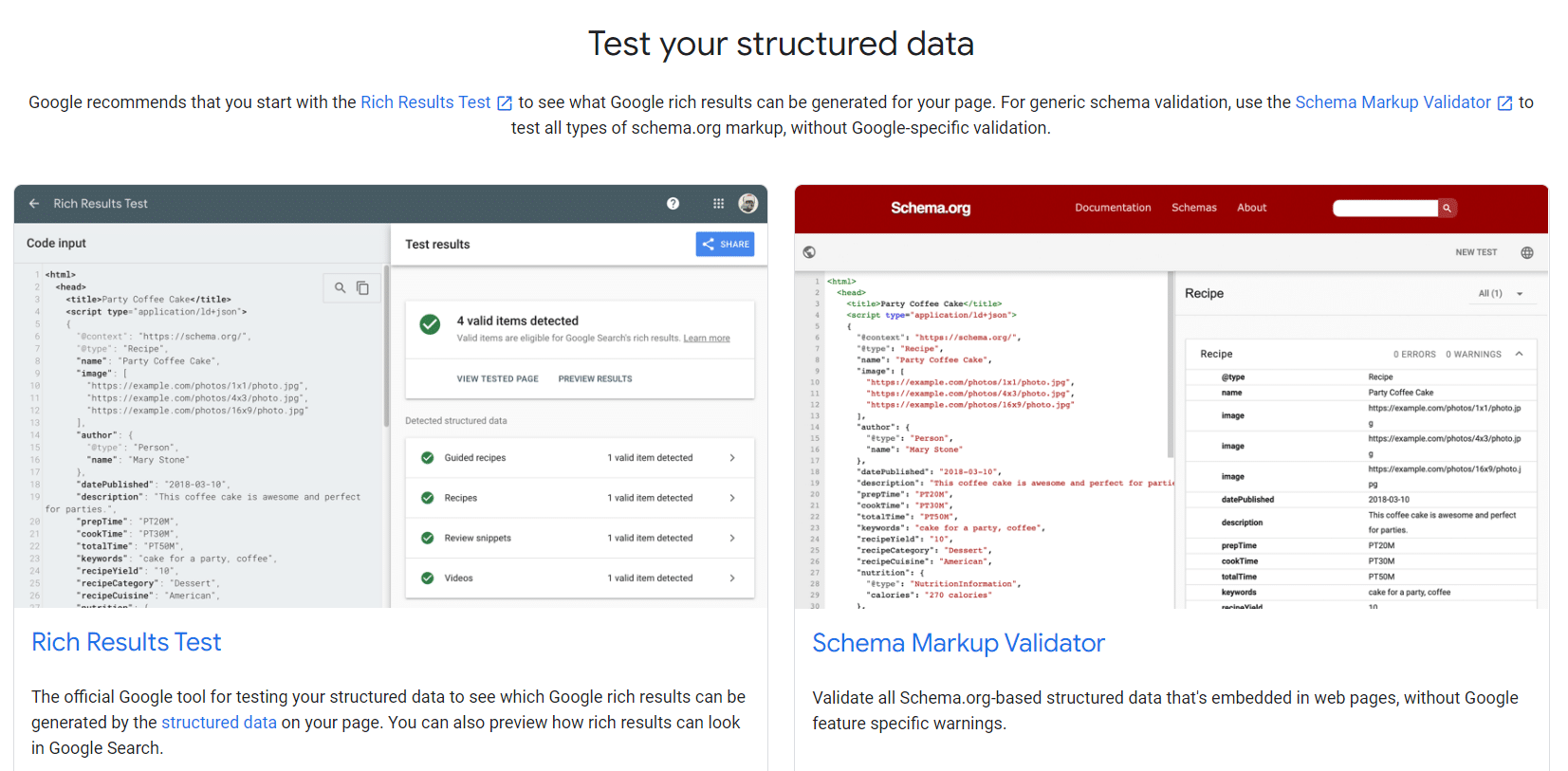
Your best bet to fix FAQ issues is to use the official Google Shema Markup Tool to validate it. The reason why people choose this is that they have reviews on products or ratings in their content.
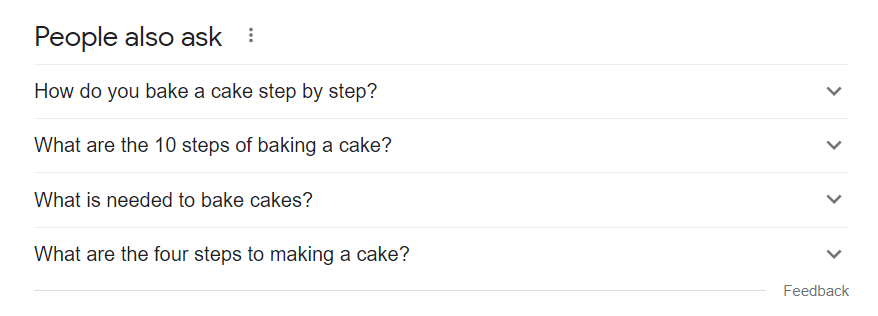
If you do well, Google placed such content in the “people also ask” section.

Conclusion
An SEO-optimized blog is about fixing SEO errors. You have plugins that make it easy. If you don’t have an SEO plugin, then fixing SEO errors is extra hard.
The difference is that a plugin guides you in SEO. The best benefit is that it shows SEO points you need to fix.
Without an SEO plugin, you must visit websites such as a SERP tool analyzer or SEO analyzer to stay on point. This method is very time-consuming and takes much effort to learn.
I suggest going for the SERP/Snippet because it’s an easy ranking factor. There are many extensions about it that you can try, but going for a SERP/snippet extension is worth trying.
- Did I forget anything?
- Leave a comment.
- Don’t forget to like it, or share this with your friends.
- Stay up to date – by following my blog and keeping informed of my blog tips.
Thank you.

Hi, I like those tools. I use Yoast SEO to make my site more friendly to search engines.
Hi Daily Poetry, I use Rank Math SEO, and it allows me to make schema options such as creating faq and breadcrumbs. That is useful for my website.
Anyway, thank you for your comment.
Thank you, these tools look like they can come in handy.
Hey Jen, happy to help.